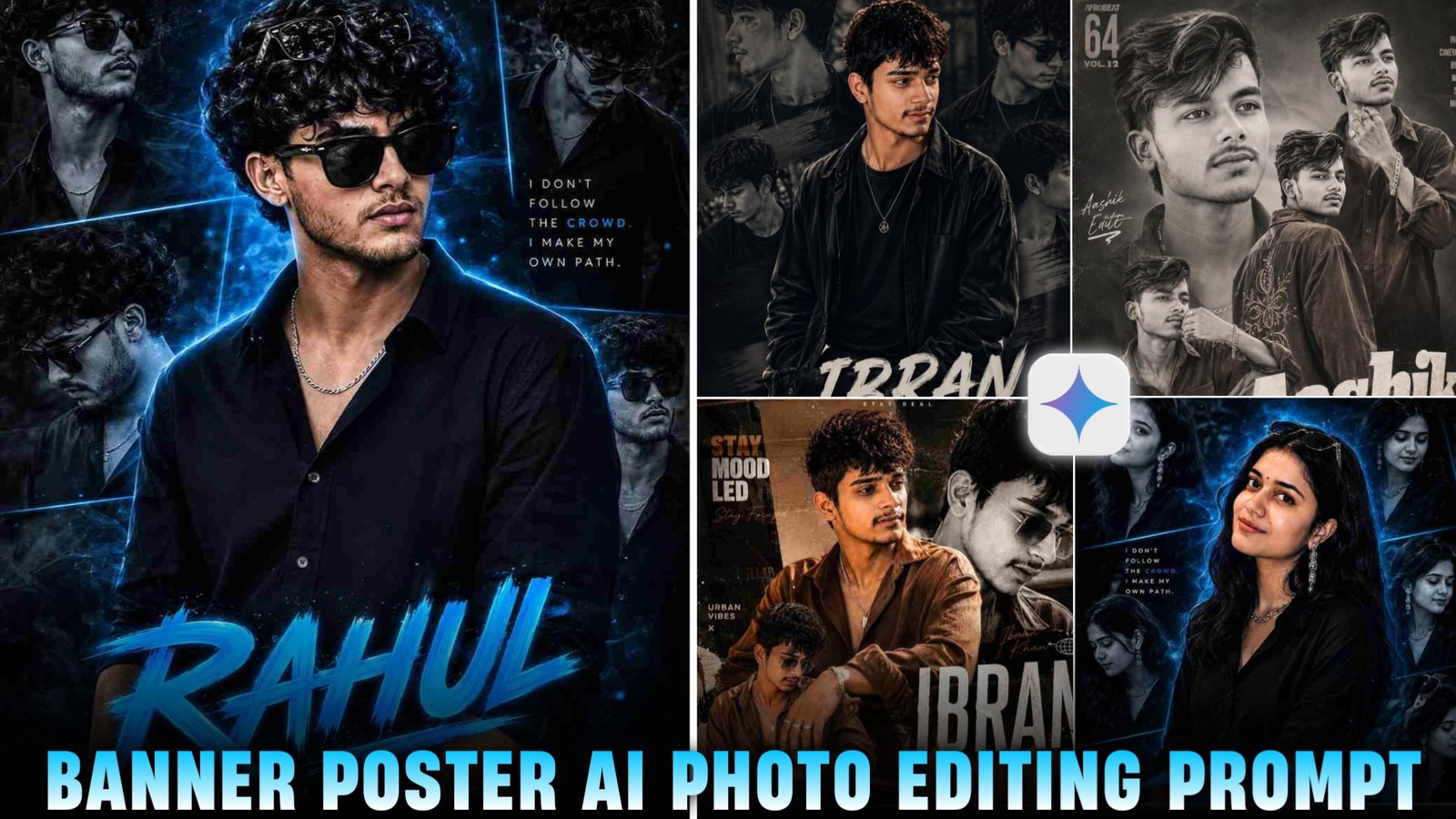
New Poster Style AI Photo Editing Prompts – So friends, in this article, I am going to show you how to edit movie-poster-style banners like this one. You can edit them with just a single click—simply by using a prompt via the Gemini or ChatGPT app. If you are also eager to create such images, you certainly can, as they are currently going viral across social media platforms. Both guys and girls are creating these images—featuring their own likenesses with their names displayed on them—which looks incredibly impressive. Therefore, in today’s article, I will provide a detailed, step-by-step guide on the entire process of creating these banner-poster-style photos, including the specific prompt required to generate them.
Details Of poster Photo Editing Prompt
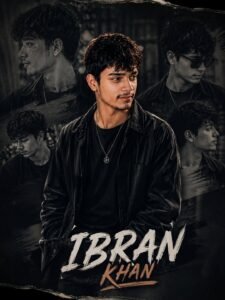
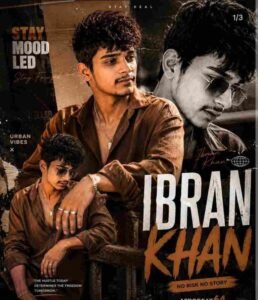
So, let me walk you through the details of this type of image. As you can see, it is a banner-style photograph that closely resembles a movie poster and looks incredibly attractive. People are currently creating these kinds of images and posting them on their social media platforms—specifically their Instagram accounts—which is driving a significant number of likes and comments on their posts. A particularly noteworthy feature of this image is how remarkably realistic it appears; you would never even suspect that it is an AI-generated banner poster. Whether you are a guy or a girl, anyone can create this type of photo. To help you do so, I will be providing you with various prompts in different styles, enabling you to generate images just like this—and rest assured, your face will match perfectly, with 100% accuracy.
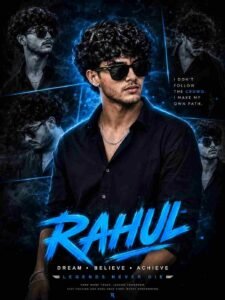
Add multiple monochrome side portraits of the same person around the background in different poses and angles, creating a collage composition. Use a dark black and electric blue color grading with neon blue light streaks, smoke effects, glowing particles, and futuristic cinematic atmosphere.
The background should be moody, deep black with blue energy glow and soft depth effects. Add stylish typography at the bottom with the name “Karan” in large glowing electric blue brush font. Under it write: “DREAM • BELIEVE • ACHIEVE” and “LEGENDS NEVER DIE” in clean cinematic text style. Include a motivational quote on the side: “I DON’T FOLLOW THE CROWD. I MAKE MY OWN PATH.”
Poster style should look like a premium Instagram DP editing artwork, ultra realistic, hyper detailed, sharp focus, dramatic shadows, teal-blue neon glow, luxury fashion aesthetic, cinematic editing, DSLR quality, 8K resolution, high contrast, professional Photoshop manipulation, trending Indian editor style.
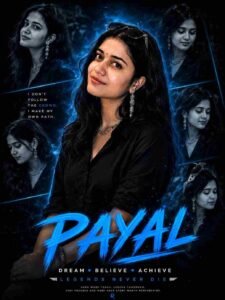
Add multiple monochrome side portraits of the same woman around the background in different poses and angles, creating a premium collage composition exactly like a luxury cinematic Instagram DP artwork. Use a dark black and electric blue color grading with neon blue light streaks, smoke effects, glowing particles, futuristic glow effects, and dramatic cinematic atmosphere.
The background should be moody deep black with blue energy glow, soft depth blur, cinematic haze, and high contrast lighting. Add stylish typography at the bottom with the name “Payal” replaced by a female name in a large glowing electric blue brush font. Under it write:
“DREAM • BELIEVE • ACHIEVE”
and
“LEGENDS NEVER DIE”
in elegant cinematic text style.
Include a motivational quote on the side:
“I DON’T FOLLOW THE CROWD. I MAKE MY OWN PATH.”
Poster style should look like a premium Instagram DP editing artwork, ultra realistic, hyper detailed, sharp focus, dramatic shadows, teal-blue neon glow, luxury fashion aesthetic, cinematic editing, DSLR quality, 8K resolution, high contrast, professional Photoshop manipulation, cyber blue lighting, magazine-quality retouching, glowing edge light, trending Indian editor style, feminine luxury aura, futuristic cinematic mood, highly detailed facial features, glossy black tones, cinematic smoke particles, and electric blue visual effects..
How To Create Banners Poster Photo using Chat Gpt
So friends, let me show you how you can create photos featuring these speech bubbles, banners, and posters. To do this, I will outline a few simple steps for you; all you have to do is simply follow them.
- First of all, you need to download the Chat GPT app.
- Now you have to open the Chat GPT app.
- As soon as you open it, you have to sign up by clicking on the option of Continue with Google.
- Now you have to come to my website and copy the prompt.
- Then in the Chat GPT app, you have to select your photo, paste the copied prompt, and then send it.
- Now your Motion Blur Aesthetic photo will be created and ready in 2 or 3 minutes, you just have to simply save it.
How To Fix Face Match Problem
So, if you are creating images of this kind and find that the resulting banner or poster does not accurately resemble you—specifically, that the face in the generated image does not match your own—here is how to fix it: First, when you initiate the image creation process, you must upload a reference photo of yourself in which your face is clearly visible. You can, for instance, take a fresh selfie using your front camera to ensure your facial features appear sharp and distinct. The reason some users encounter issues—resulting in an incorrect or distorted output—is that they often utilize photos that are either poor in quality or in which their face is not clearly discernible.
Conclusion
So friends, in today’s article, I have told you the prompt and all the step process to edit Banner Style photo. So, if you follow the steps I outlined above, you can create stunning, high-quality photos completely free of charge—and your face will match perfectly, 100%. If you encounter any issues while creating such images, please feel free to leave a comment here; we will be happy to assist you. I will be back with another article soon.