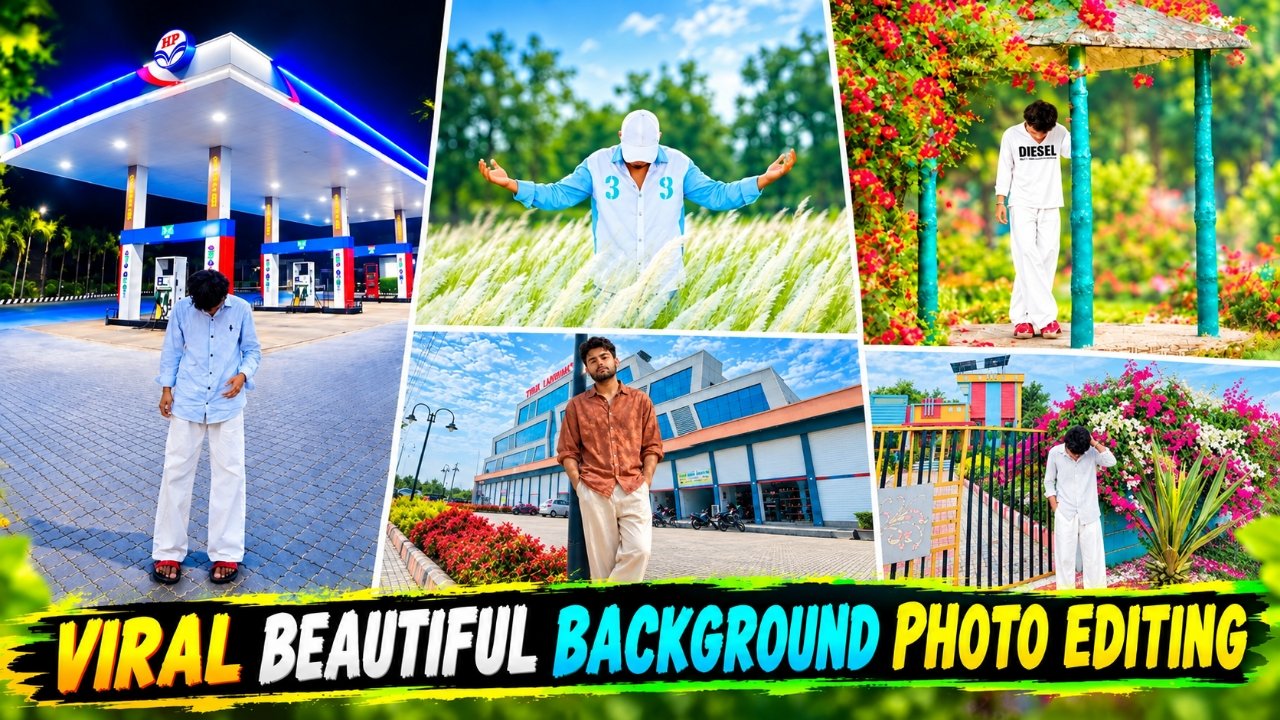
If you are active on Instagram these days, you have likely noticed a specific style of photo editing going viral. These edits feature stunning backgrounds often adorned with flowers and other attractive elements where people superimpose their own photos before posting them to their social media feeds or stories; the results look fantastic. In this article, I am going to provide you with the specific prompts and backgrounds needed to create these images. Since people use a variety of backgrounds ranging from floral themes to other beautiful settings I will share about seven to eight different backgrounds along with the corresponding prompts to help you create these photos. The process is incredibly simple; you can generate these images with just a single click. Let me walk you through the entire process step-by-step.
Details Of Viral Background Ai Photo Editing
So friends, let’s talk about the details of this kind of viral photo editing. You might be aware that people often generate entire images backgrounds and everything else, from A to Z using AI. However, in this specific style, your own photo is placed into the background seamlessly integrated through editing. You can use any of the backgrounds featured in this article to edit your own photos just like the examples shown here. Creating them is incredibly simple. While editing such photos manually could take hours, using AI allows you to create them in just one or two minutes. Let me show you how it’s done.
What Is The Use Of Backgrounds
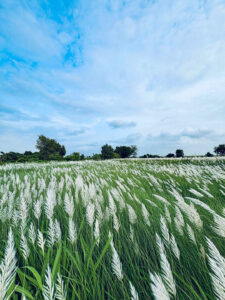
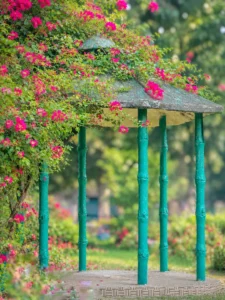
To create this kind of photo, the background is the most important element; since ChatGPT alone won’t generate this exact background, you need to upload the specific background image yourself. By combining that background with the prompt and your own photo, you can generate an image that looks incredibly realistic and professional. I have provided a variety of backgrounds for you to choose from, so you can pick the one you like best to create your own version. I have also outlined the creation process below please take a look and included the detailed prompts required for the task.
Place this person in the second photo in a realistic manner and adjust them to match the second photo; do not change anything else. Keep the background exactly as it is—do not alter it at all—and do not change the face or body size. Enhance the image to 8K quality and set the aspect ratio to 3:4.
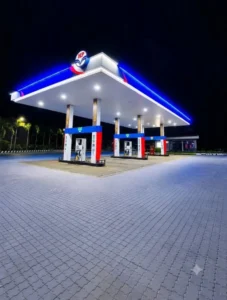
Use the uploaded person photo as the identity reference and place them naturally into the exact HP petrol pump background. Preserve face,skin tone, hairstyle, outfit, pose, proportions, and hand position. Match nighttime lighting, blue-white canopy glow, shadows, reflections, perspective, scale, and realistic DSLR-quality photorealistic details.
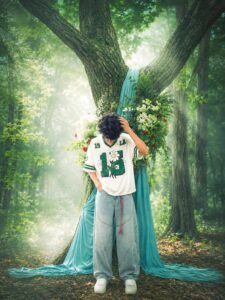
YE WALA BACKGROUND ME LAGA DO AND SINEMATIC GREEN LIGHT FOG 20 HDR KEEP THE PERSON EXACTLY THE SAME SAME RED FACE, CURLY HALTSTYLE, FACIAL FEATURES, SKIN TONE, BODY PROPORTIONS, BOWED HEAD, RELAXED POSE WITH BODE ARMS SLIGHTLY OPEN, SAME EXPRESSION AND SAME PERSPECTIVE. ONLY CHANGE TH ENVIRONMENT AND OUTFIT.
CREATE AN ULTRA-REALISTIC DSLR PHOTOGRAPH OF THE SUBJECT STANDING EXACTLY
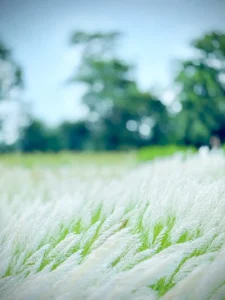
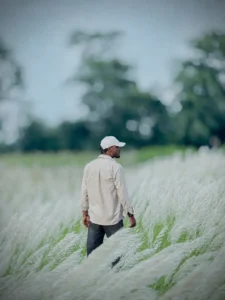
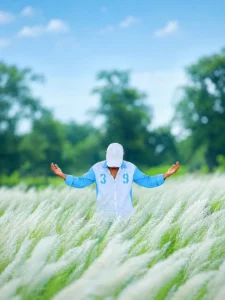
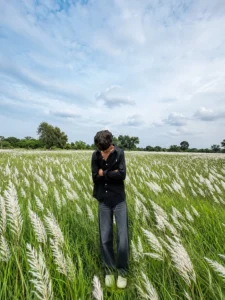
Ultra-realistic cinematic DSLR photograph of a vast lush green grass field covered with tall, delicate white feathery Kans grass (Saccharum spontaneum), naturally flowing and bending in the gentle breeze. The foreground is filled with dense soft white grass plumes, creating beautiful layered depth and a dreamy natural atmosphere. In the middle distance, a soft green meadow transitions into a dense background of large green trees, heavily blurred with creamy natural bokeh. Cool pale blue-gray sky with soft diffused daylight, subtle atmospheric haze, muted fresh green and white tones, realistic depth of field, natural shadows, soft highlights, authentic outdoor photography, 85mm DSLR lens, shallow depth of field, smooth background separation, photorealistic textures, highly detailed grass fibers, realistic perspective, cinematic composition, professional photography, HDR, 8K quality, vertical portrait composition, no people, no buildings, no vehicles, no artificial objects, no oversatu
Use the first image as the exact background and the second image as the person. Place the person naturally in the background with realistic proportions, perspective, lighting, shadows, and color matching. Do not change anything in the background or modify the person’s face, hairstyle, body, or clothes. Keep both images exactly natural and create a seamless, ultra-realistic result that looks like a real photo taken at that location, not Al-generated or edited.
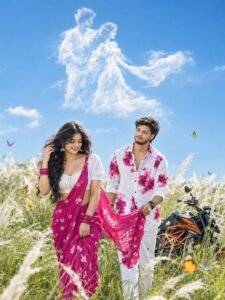
Create an ultra-realistic, cinematic 8K HDR DSLR photograph in a vertical 2:3 portrait composition of a romantic young Indian couple walking through a beautiful field of tall white Kans grass. The handsome young man wears a stylish white shirt with vibrant pink floral prints and white trousers, looking lovingly at the woman while gently holding the flowing end of her saree. The beautiful young woman wears a bright pink floral saree with an elegant white blouse, traditional jhumka earrings, matching pink bangles, and long wavy black hair flowing naturally in the breeze. She smiles softly while gracefully touching her hair. An orange and black sporty KTM Duke motorcycle is parked behind them among the grass. Colorful butterflies flutter around the couple, while soft Kans grass creates a dreamy foreground and background. Above them, dramatic fluffy white clouds form a romantic artistic shape against a deep blue sky. Bright natural daylight, cinematic lighting, realistic skin texture, detailed fabric, natural hair movement, shallow depth of field, foreground bokeh, vibrant natural colors, romantic storytelling, professional photography, 35mm lens, photorealistic and highly detailed.
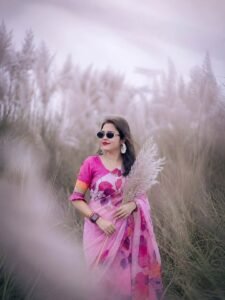
A realistic portrait of a beautiful Indian woman standing in a field of tall, feathery pampas grass (Kash flower field). She is wearing an elegant pink floral saree with ruffled sleeves and dark stylish sunglasses. She holds a stem of fluffy pampas grass near her chest. The background features a tall field of wild grass under a soft, overcast, misty sky with a muted, pastel pink and purple color tone. Dreamy atmospheric lighting, shallow depth of field, soft blur in the foreground, highly detailed, photorealistic 8k photo
Use the first image as the exact background and the second image as the person. Place the person naturally in the background with realistic proportions, perspective, lighting, shadows, and color matching. Do not change anything in the background or modify the person’s face, hairstyle, body, or clothes. Keep both images exactly natural and create a seamless, ultra-realistic result that looks like a real photo taken at that location, not Al-generated or edited.
So friends, let me share a few simple tricks with you to create this kind of photo; if you follow them, you can create such images very easily. If you have already created images using ChatGPT, you will be able to do this as well. The only difference here is that you will need to upload the background image and your own photo, in addition to pasting the prompt. Let me explain the step-by-step process below.
First of all, you have to click on the create image button.
And you have to login with your Google account.
Now download any background you like from the website by long pressing it.
And below you have to click on the plus icon and upload your selfie photo You also need to upload a background image.
Now you have to copy the prompt I have given above.
Then you have to paste the prompt in the text below
Now you have to send it.
Your image will be ready.
Now you have to download it by clicking on your image
Conclusion
In this article, I have provided prompts for editing beautiful background photos like these; I have shared more than five or six prompts along with the background images to help you generate such realistic images with great ease. I have also explained the entire process step-by-step so that you don’t face any issues while creating them. I hope you have already created these photos. If you have, go ahead and post them on your social media platforms or share them as stories.