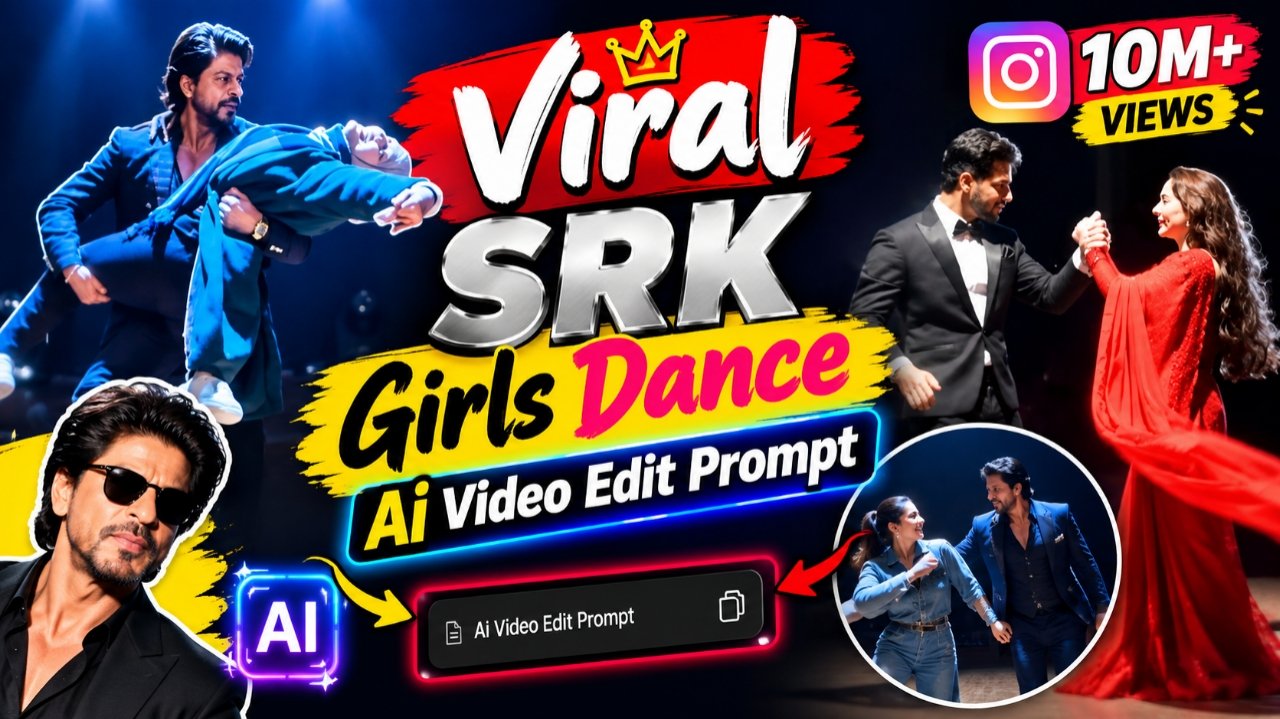
You may have noticed that videos featuring Shah Rukh Khan-style Bollywood dance edits are going viral rapidly on social media. People are creating these videos using their own photos and uploading them to their social media platforms, garnering millions of views in the process. Since Shah Rukh Khan is a massive celebrity with a huge fan base, these dance videos which look incredibly impressive and realistic resonate well with audiences; in fact, they look so authentic that no one would even guess they were created using AI tools. If you want to create these kinds of dance videos, you can make them with your partner whether it’s your husband or boyfriend simply by using one of their photos and one of your own. Two types of such videos are currently going viral, and in this article, I am providing the prompts for both, along with instructions on how to create them. This way, you can make whichever version appeals to you whether it’s the couple dance video or the one featuring Shah Rukh Khan. You should try making them too and post them on your social media; your reels could go viral as well. Let me walk you through the entire step-by-step process of creating these videos so you can make them yourself.
Details Of Viral SRK Ai Video Editing
So friends, let’s talk about those viral AI-generated dance videos featuring Shah Rukh Khan. You know that Shah Rukh Khan has a massive fan base, and people are incredibly eager to create dance videos with him. If you also want to create such a dance video with Shah Rukh Khan, you can do so completely for free. In this article, I will walk you through the entire step-by-step process of creating these videos. After all, you know that making a real video with Shah Rukh Khan isn’t possible he is a huge celebrity, and filming with him directly isn’t an option. However, you can achieve this using AI, which makes creating these dance videos incredibly easy. I am going to explain the entire creation process to you step by step.
What do you need to make a video like this?
To create a viral ShahRukh Khan-style Bollywood dance video, all you need is a simple photo of yourself and a reference video. You will need to upload your photo along with the reference video which I have provided below for you to download and use to generate the final clip. For the best results, ensure you upload a perfect, unedited photo (without filters) where your face is clearly visible. Since photos taken with the rear camera often lack facial clarity, use a front-facing camera shot instead; this ensures your face is distinct, resulting in a perfect, realistic AI-generated Bollywood dance video that is ready to be uploaded to any social media platform.And if you want, you can also make a dance video with your boyfriend or husband. The process of making it will remain the same because you must have seen that some people are making and posting such photo videos on social media which look more engaging.
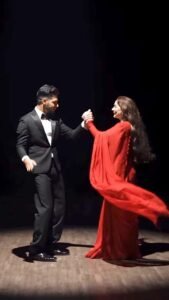
Scene 1: Wide shot — they hold hands and walk together smoothly onto the center of the dimly lit stage, her long hair flowing naturally over her shoulders, a single spotlight glowing above them, warm intimate connection, deep black backdrop, gentle unhurried pacing.
Scene 2: Medium shot — they stand facing each other, hands clasped together, gazing warmly into each other’s eyes, her hair softly framing her face, soft spotlight illuminating their faces against the dark stage, calm smooth stillness.
Scene 3: Wide shot — they raise their joined hands together in a smooth joyful gesture, both smiling, spotlight glowing warmly above them, her hair catching the light, fluid graceful motion.
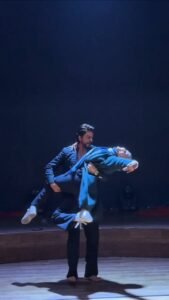
Scene 4: Dynamic full-body wide shot — he holds her close and smoothly lifts her as he spins her in one continuous fluid full 360-degree rotation around himself, her long open hair flying outward and swirling gracefully with the full turn, her teal coat and scarf flaring outward at the same time, her feet lifting off the ground as she completes the entire seamless circular rotation around him, both moving in perfect fluid sync on the wooden stage, camera smoothly circling to capture the complete 360-degree spin without any jarring motion.
Scene 5: Wide shot — they stand with arms spread wide apart while holding hands, leaning back smoothly in a joyful, free-spirited pose, her hair gently flowing with the motion, warm spotlight glowing above them. Scene 6: Dramatic wide shot — he smoothly dips her gently backward in a graceful classic dance dip, her long hair cascading downward toward the floor as she leans back, one of her legs lifting gracefully off the ground with her boot pointed, her coat draping elegantly as he supports her fully with both arms in one fluid controlled motion, intimate romantic moment under the spotlight, then he smoothly and gently lifts her back upright.Scene 7: Final emotional shot — he smoothly lifts her fully off the ground into his arms, cradling her securely, and rotates in one continuous fluid full 360-degree turn while carrying her, her hair and coat both flying outward gracefully throughout the entire seamless rotation, her legs lifting gracefully with the spin, both smiling warmly at each other, then as the rotation completes he gently and smoothly lowers her into a warm close embrace, her hair settling softly around her shoulders as they hug, one foot lifted off the ground, spotlight glowing softly around them, cinematic slow zoom-out to finish. Overall style: same faces, same identities, same natural smooth skin, same exact body types for both people as shown in their uploaded reference photos, same black blazer-and-trousers outfit for him and teal-green coat with scarf and long open flowing hair for her consistent in every single scene, no outfit change, no identity, body, or facial change for either person in any scene, same real dimly lit circular stage location with dramatic spotlight throughout, smooth fluid graceful full-body dance movement including full seamless 360-degree spins, twirls, dips, and lifts exactly matching an expressive live dance performance, with her hair and coat both dynamically flying and flowing gracefully during every turn and spin, no jerky or abrupt motion anywhere, realistic skin and fabric texture, rich full premium cinematic color grading with warm tones, deep blacks, and glowing spotlight highlights — full natural color, not faded or desaturated — filmic depth and contrast, smooth cinematic transitions between poses, ultra-realistic premium 4K/8K quality, vertical 9:16 format, continuous emotional story flow from start to end, no scene skipped, only 7 scenes total exactly as described.
How To Create SRK Girls Dance Video
So friends, let us now tell you how you can make such a dance video of Shahrukh Khan with such girls. The process of making it is quite simple, so let us follow the steps given below very carefully.
- So first of all you will see a prompt above, you have to copy it.
- After the prompt is copied, you have to click on the Generate Video button below.
- Then you have to paste the simple prompt directly there.
- And there you have to select the size, the type of ratio 9 * 16 which you want to make.
- And as soon as you send it, your video will be generated in a few seconds and you have to download it.
What Is The Google Flow Ai
So, let me explain what Google Flow AI actually is. With Google Flow AI, you can convert any photo into a video. You simply provide a prompt detailing exactly what you wantand the tool generates a video that matches those specifications. You can create AI videos lasting eight to ten seconds, and there is no limit to how many you can generate; it offers unlimited usage. You can also choose the aspect ratio such as 9:16 or 16:9 to suit your needs, making it ideal for editing Reels. It allows you to create the kind of trending videos frequently seen on social media. Since this tool is currently the most popular choice and is free to use, it has gained widespread adoption. It stands unrivaled by other tools because the videos it generates are flawless; it executes your prompt with precision, capturing every detail and delivering a smooth, high-quality result. Best of all, since Flow AI is a Google product, the quality is exceptional.
Conclusion
So friends, today in this article I have given you the prompt and complete process to edit this viral dance video with Shahrukh Khan. In today’s article I have given you step by step instructions.And with the help of which you can make such videos very easily and you must have made such videos as well and you all know that whatever is going on in the training right now, if it is made on time If you also upload it on your social media platform from now on, then there is a full chance that your release will also go viral, so go ahead and if you have made such a video then you should also upload it.