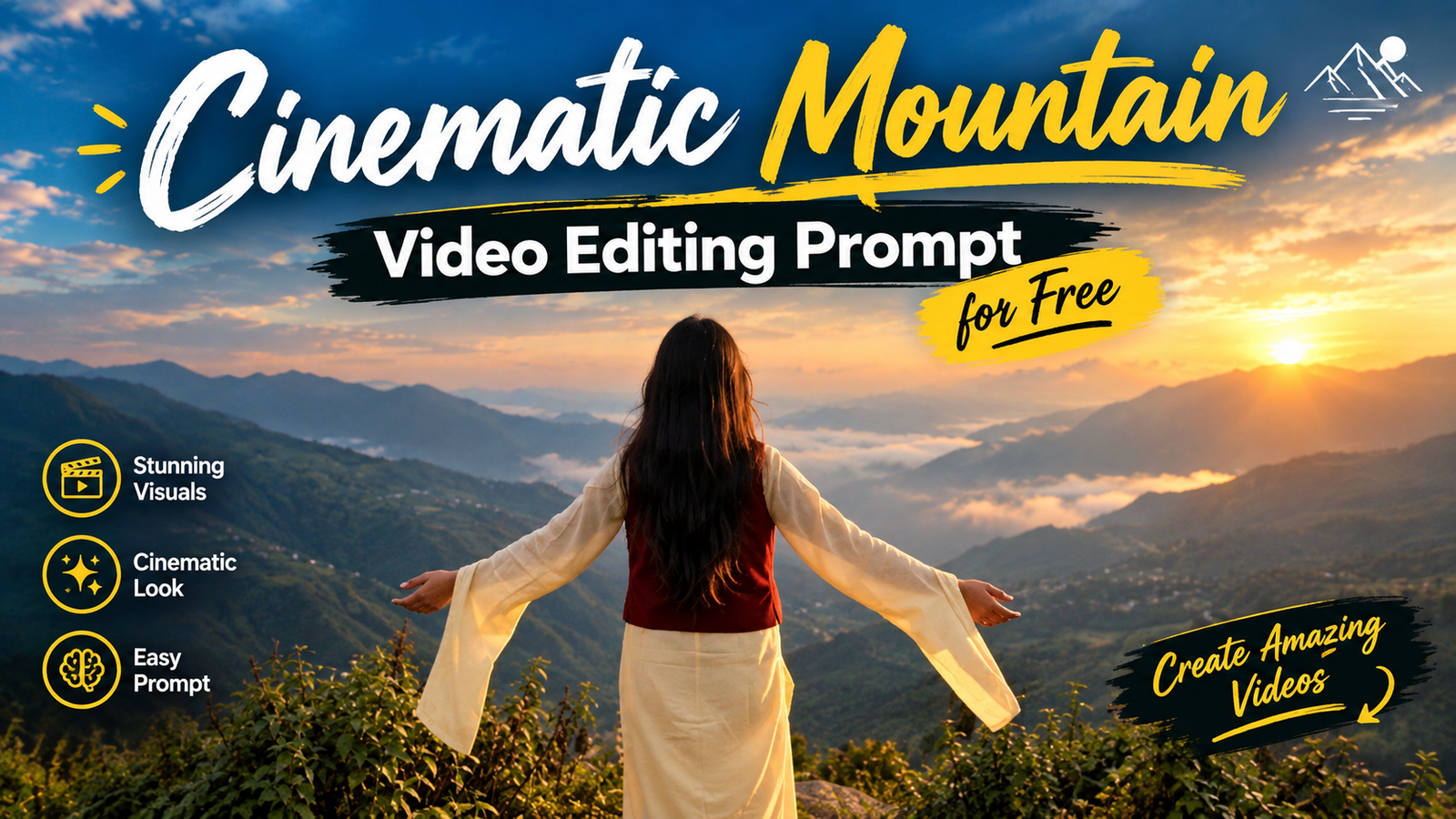
AI cinematic girl videos are a creative way to make beautiful and realistic travel-style reels. This video shows a girl enjoying a peaceful mountain location, adjusting her hair, and spending a lovely moment with a dog. The misty mountains, traditional outfit, natural expressions, and smooth camera movements give the video a professional cinematic look. With the help of AI tools, you can create a similar video using your own photo. You do not need a professional camera or an expensive setup. A clear photo, a suitable AI video tool, and a detailed prompt are enough to create an attractive cinematic video for Instagram Reels, YouTube Shorts, or other social media platforms.
Details Trending AI Cinematic Girl Video Editing Prompt :-
Create a photorealistic cinematic video of a young girl standing in a beautiful misty mountain valley. She is wearing a cream-colored traditional outfit with a deep-red waistcoat. Show her slowly adjusting her long hair, looking around at the mountains, and enjoying the peaceful natural environment. In another scene, show her gently interacting with a golden-brown dog near a mountain viewpoint. Use realistic facial expressions, natural body movements, smooth camera transitions, soft cloudy daylight, realistic shadows, and detailed mountain scenery. Add cinematic depth of field, natural colors, gentle wind in her hair and clothes, and professional DSLR-style camera quality. The final video should look like a real travel video rather than an AI-generated clip. Keep the girl’s face, identity, skin tone, hairstyle, and body proportions natural and consistent in every scene.
What Do You Need to Make This Video?
To create this AI cinematic girl video, you need a clear and high-quality photo of yourself, an AI image-to-video tool, and the cinematic prompt given above. First, upload your photo into the AI tool and add the prompt. Make sure the tool supports realistic image-to-video generation and smooth camera movements. You can create separate scenes, such as adjusting your hair, standing in the mountains, enjoying the scenery, and interacting with the dog. After generating the clips, combine them in a video editing app and add suitable background music or natural sound effects. For Instagram Reels and YouTube Shorts, use a 16:9 aspect ratio, smooth transitions, and the highest available video quality.
Create an exact 10-second, 16:9 landscape, 30fps, normal real-time-speed, ultra-photorealistic cinematic live-action video recreating ONLY the original visual performance and real cinematography of the uploaded reference video, with the reference video as the absolute source of truth for the complete shot order, character movement, body movement, hand movement, head movement, pose changes, camera framing, camera position, camera behavior, environment and lighting; use the provided character reference for the exact female identity if supplied, preserving her exact face, facial structure, skin tone, hairstyle, body proportions and natural appearance with zero identity drift; preserve the same outfit visible throughout the reference: a flowing pale/light-yellow long traditional-style dress or kurta with long loose sleeves and a deep red sleeveless vest/jacket layered over it, with long dark hair left open and naturally moving in the mountain wind; SHOT 1 — 0.0–1.35s: wide rear three-quarter landscape shot at a high mountain viewpoint, the woman stands near the foreground edge with her back facing the camera and the enormous green mountain valley, layered hills and thick white mist filling the background; she initially has both hands raised toward the back/top of her head, touching or gathering her long hair, then gradually releases her hair and lowers both arms outward into a relaxed open gesture while continuing to face the valley; her hair moves naturally in the wind; camera remains wide and mostly stable, showing her full body against the mountain panorama; SHOT 2 — 1.35–2.55s: cut to a darker back/side silhouette shot facing the opposite mountain direction, with the low golden sun visible through haze and clouds behind her; the woman stands near the vegetation, body turned slightly toward screen-right, head angled downward as if quietly looking toward the ground/nearby plants, while her hair and loose clothing move gently in the breeze; camera remains at a medium-wide distance with the sun and mist dominating the background; preserve the strong backlight and natural silhouette rather than adding artificial lighting; SHOT 3 — 2.55–5.25s: cut back to the mountain viewpoint in a wide side shot where a medium-sized tan/brown dog stands directly in front of the woman; the woman bends slightly forward toward the dog and extends her hands toward it, gently interacting with the dog’s head/muzzle area as the dog stands facing her; her body remains angled toward the dog, her long hair falls forward slightly and moves with the breeze, and her red outer layer is clearly visible over the pale-yellow dress; reproduce the natural hand-to-dog interaction exactly, with no additional petting choreography; the dog remains the only animal and moves naturally with small head/body adjustments; the camera stays wide and observational, keeping both woman and dog and the misty valley in the same frame; SHOT 4 — 5.25–6.65s: cut to a wide rear shot of the woman standing alone at the mountain overlook; her face is intentionally not visible from this angle, and a yellow flower/flower-like visual is positioned around the side/back of her head in the reference; she stands upright facing the valley with her hands relaxed near her body, making only a subtle natural posture adjustment while her long hair hangs down her back and moves slightly in the wind; the vast fog-filled valley remains clearly visible behind her; camera is fixed in a wide composition with the woman near center; SHOT 5 — 6.65–7.75s: cut to the golden-hour side-profile shot at the same overlook, with the woman positioned toward screen-right and the hazy sun glowing behind the mountain ridge; she stands in profile facing screen-right, her head slightly lowered at first, then subtly turns/raises her face toward the scenery; her long hair catches the warm sunlight and moves naturally in the wind, while the red vest and pale-yellow sleeves remain clearly visible; the camera stays at medium-wide distance and does not perform an invented zoom or orbit; preserve the real sun flare and atmospheric haze as naturally photographed; SHOT 6 — 7.75–9.35s: cut to a rear medium-wide shot overlooking the mountain valley; the woman walks slowly forward a short distance toward the viewpoint, seen completely from behind, then gradually extends both arms outward away from her sides in an open, relaxed gesture as she faces the mountains; her long hair flows backward and sideways in the wind, the loose sleeves of the pale-yellow dress move naturally, and the red vest remains visible from behind; the camera follows her only with the same restrained real movement visible in the reference, maintaining her centered against the layered mountains and valley fog; do not add running, spinning or dramatic arm movements; SHOT 7 — 9.35–10.0s: cut back to the warm sunset side-profile composition, woman standing near the vegetation with her body facing screen-right and the sunlit misty mountain landscape behind her; her hair blows gently across her back and shoulder as she holds a calm, reflective posture and looks toward the scenery; maintain the same warm backlight, haze, mountain silhouettes and natural lens response; end exactly on this quiet profile composition. Preserve the complete physical continuity of the woman between every shot: same identity, same face, same long dark open hair, same pale-yellow flowing dress, same deep-red sleeveless outer layer, same proportions and same natural wind interaction. Preserve the mountain environment exactly: steep green Himalayan-style hills, distant layered ridges, deep valley filled with white mist/cloud, scattered distant structures where visible, dense foreground vegetation, rocky/earthy overlook and natural open-air mountain viewpoint. Preserve natural daylight transitioning between cool mountain atmosphere and warm golden-hour backlight exactly as seen. CAMERA LOCK: reproduce the reference’s wide landscape compositions, medium-wide rear shots, side-profile framing, low/normal camera height, subject scale, background compression and restrained real camera movement; no random pans, no artificial zooms, no orbiting, no drone movement unless actually visible. MOTION LOCK: reproduce only the woman’s actual movements—hands touching/releasing her hair, subtle head movement, slight bending toward the dog, gentle interaction with the dog, standing facing the valley, short forward walking movement, gradual opening of both arms, and quiet side-profile posture; reproduce natural hair, dress and wind movement. DOG LOCK: exactly one tan/brown dog during the dog interaction shot, natural size and anatomy, standing directly in front of the woman; no other animals. NORMAL REAL-TIME SPEED: all walking, arm movement, hair movement, dog movement and head movement must occur at believable natural real-time speed; do not recreate any slow-motion or speed-ramp appearance from the edited reference. EDITING LOCK: preserve the reference’s actual shot progression and cuts but do not reproduce post-production effects such as speed ramps, slow motion, artificial motion blur, text overlays, lyrics, emojis, captions, decorative typography, artificial color grading or music-video effects. STRICT NEGATIVE CONSTRAINTS: no extra people, no extra animals, no extra props, no different clothing, no outfit redesign, no hairstyle change, no identity drift, no face morphing, no invented dialogue, no narration, no voice-over, no subtitles, no lyrics, no floating text, no emojis, no logo, no watermark, no extra scenes, no extra actions, no dancing, no spinning, no running, no jumping, no exaggerated acting, no artificial camera shake, no random zoom, no drone shot, no slow motion, no speed ramp, no freeze frame, no artificial transition effects, no cartoon/anime appearance; FINAL PRIORITY: the uploaded reference video is the absolute visual source of truth—reproduce its actual seven-shot visual sequence, exact character positioning, movement order, poses, dog interaction, mountain environment, camera language, lighting and natural physical behavior as faithfully as possible within exactly 10 seconds of normal real-time footage, with nothing added and nothing omitted.
So friends, if you also want to create those ‘trending’ Cinematic mountain Reels, here is the step-by-step method. By following this, you can create such videos, post them on your social media platforms, and boost the views on your Reels. Let me show you how it’s done.
So first of all you will see a prompt above, you have to copy it.
After the prompt is copied, you have to click on the Generate Video button below.
Then you have to paste the simple prompt directly there.
And there you have to select the size, the type of ratio 16:9 which you want to make.
And as soon as you send it, your video will be generated in a few seconds and you have to download it.
What Is The Google Flow Ai?
So friends, let me explain what Google Flow AI actually is. As you know, Google Flow AI is a Google-owned platform designed for creating cinematic videos with AI. You can create videos from text prompts, use images as visual references, and generate scenes based on the instructions you provide. It is useful for creating different types of cinematic videos, including devotional AI videos, retro videos, and other trending social media content. Google Flow AI can help you transform a still photo into a video when the relevant image-to-video features are available. You simply need to provide your photo and a suitable prompt, and the AI tool generates a video based on your instructions. The exact features, free credits, video duration, and aspect ratios available may depend on your account, region, and current Google Flow options. Some features may require credits or a paid plan, so check the available settings before generating your video. People are using AI video tools to create creative content for Instagram and other social media platforms. In this article, I have also explained how you can use a Parvati Ji-inspired prompt to create a beautiful devotional cinematic video. So, if you also want to try this trending AI video editing style, simply follow the steps given above, upload your photo, copy the prompt, and create your own devotional cinematic video using Google Flow AI.
Conclusion :-
So friends, now I have told you the whole process, how you will get the prompt, how you have to generate the video, how you have to copy the prompt everything. So if you have followed the steps mentioned by me and will use the given prompt in the flow AI as per the process mentioned, then you too will be able to make such AI cinematic video. You go ahead and make such videos and tell them to go viral.