
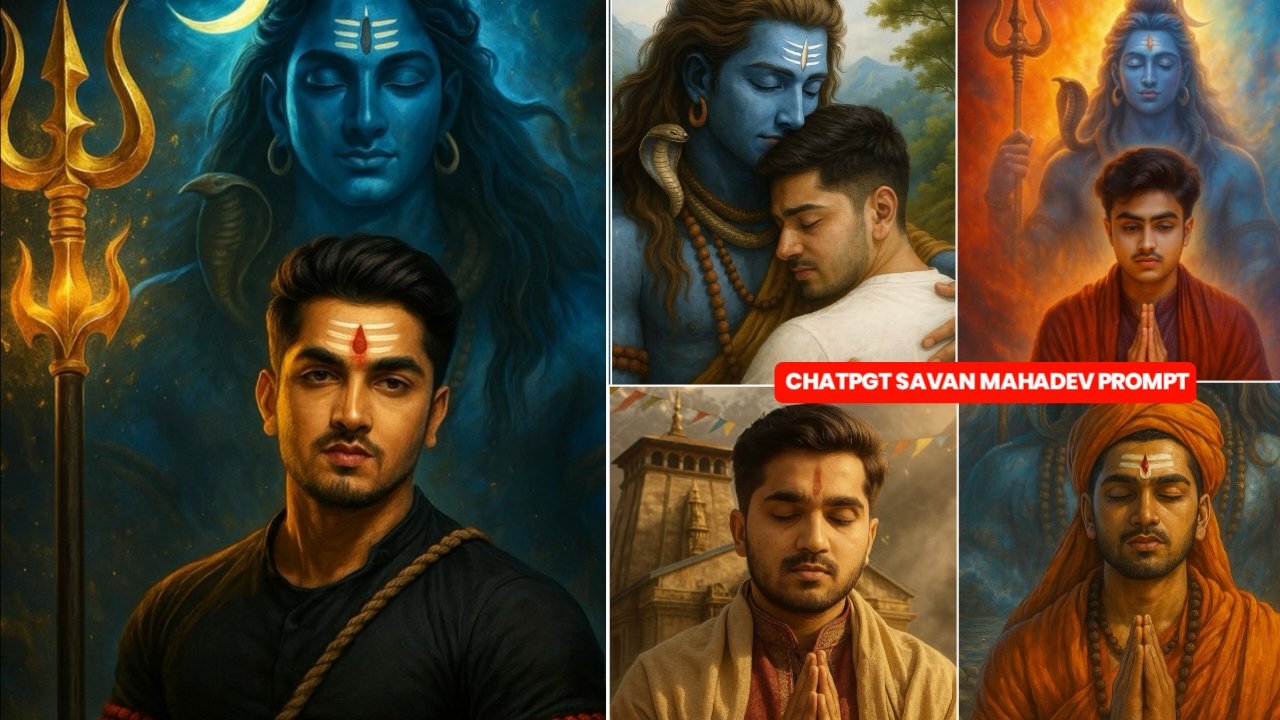
Hey Guy’s In today’s post, I will tell you how to edit Mahadev’s image, you will know that the monsoon is starting, so you can make your photo attractive in minutes without any professional editing And you guys can very easily edit your photo in one click through chat gpt prompt, which I will tell you about later and if you share such photo on any social media platform like insta or facebook If you upload on any post then people will also like and follow your post because if you upload on any trend or festival at the right time then people like the post a lot.
Details:- New Ai Mahadev Prompt Chat GPT Photo Edit Prompt – 2025
As you know people wait for the festival of Savan and as soon as Savan starts people click their photos and upload them but not everyone is able to do this Or the people who are clicking the photo, their photo is not getting clicked correctly due to which neither they can post nor stroy nor can they put their status. I wish you people a happy Mahadev’s Sawan festival But I will tell you how to generate an image using chat which will look absolutely realistic and by using this AI you can generate your photo in any kind of pose and you can also post such a stroy status You can upload it anywhere, if you find it attractive to watch then go ahead, I will tell you in the article below
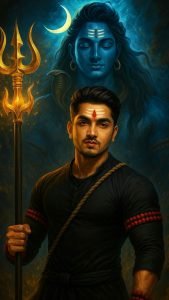
A powerful and divine digital artwork
featuring a muscular, intense-looking
Indian warrior standing in front of
a majestic depiction of Lord Shiva.
The black hair and a small beard,
 wearing a black outfit with red
beaded arm is and a spiritual rope
slung across his chest.He has a bold
 red tilak on his forehead along with
sacred white ash lines (vibhooti).
In his hand, he firmly holds the staff
 of a divine trident (Trishul). Behind
 him, Lord Shiva is illustrated in a grand
, glowing blue form, with long flowing hair
, crescent moon, serpent around his neck,
and sacred markings on his forehead.Shiva
holds a golden trident, surrounded by divine
 energy and en splashes. The background is
ethereal and cosmic, emphasizing power,
devotion, and divinity. The mood is intense
and reverent.
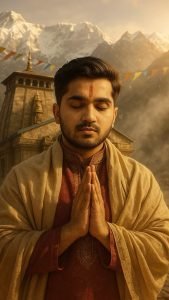
Ultra-realistic, cinematic portrait
 of me in traditional attire, hands
in 'Namaste,' praying before Kedarnath
 Temple. Snow-capped peaks, golden
sunlight, and mist surround the ancient
 stone shrine. Prayer flags flutter in
the breeze, marigolds at my feet Ethereal
glow highlights my devotion, with hyper-↓
detail textures-fabric folds, skin, and
temple carvings. Shallow depth of field,
8K, earthy tones, divine atmosphere
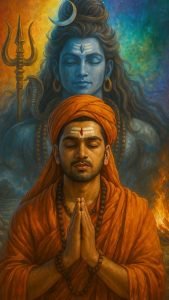
Make a cenamatic 4k hd realstic image,
in it shows a persone wearing religious
dress and show his full devotion to lord
 (Shiva) whit his imagination and the
background is realistic with the vibes
of seven colors and shows some earth
 elements for devotion in it
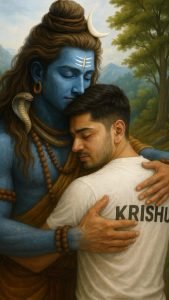
Create a high quality realistic image,
lord Shiv and a 27 year old teenage boy
hugging are Warking with each other, boy
 is wearing white t-shirt on which his
name "Krishu" is written boldly on top,
 both are emotional, environment is
mountain, background is of tree, image
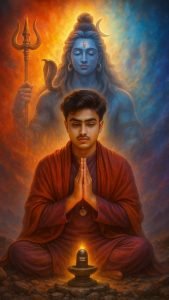
A highly detailed, photorealistic digital
painting of the person in the uploaded
reference photo (ensure 99.99% face accuracy)
 sitting in a meditative posture with folded
hands (namaskar mudra) in front of a small
glowing Shiva Lingam, placed on a rocky,
 mystical terrain. The man wears a deep
red-orange traditional shaw and a maroon-purple
 ethnic kurta-pajama, with a spiritual pendant
around his neck. Rehind him, a majestic, radia
 vine figure of Lord Shiva appears in a larger-
than-life, ethereal form with blue skin, closed
eyes, crescent moon on his hair, snake around neck,
and holding a trident (trishul. The background explodes
into a spiritual aura - a radiant rainbow-colored nebula
blending from fiery red to calm blue and violet,
symbolizing divine energy. Lord Shiva emerges from the
center of this cosmic light. The entire composition shou
 ow with spiritual warmth and a cinematic divine atmosphere,
filled with peace, power, and devotion. Dreamy lighting and
 slight mysticao
How To Use Chat GPT Mahadev Prompt 2025
So for you to create the Mahadev image, I have given you 5 prompts above and I have also shown you what kind of image can be created using the prompts below them, so copy whichever prompt you like. Then to create the image you have to open the chat gpt app and sign up with your google account, then click on the text writing option and click on the + icon Then you have to upload your photo and then paste the prompt you have copied and then send it and your image will start getting created. And the bank will be ready in 2-3 minutes, you just have to download it
Chat Gpt Created Image Face Not Match Problem Fix
If your face is not visible in the image you have created, then what you have to do is to create an image from chat gpt. You have to select your selfie image. Now you will be asked to upload the selfie photo.Because if you upload a photo taken from the back camera then chat gpt is unable to catch your face as it is far away but it does so in selfie photo. Then your image will be generated with the same face as yours. If still your face is not the same then you should watch this video, in this I have told how to make it with the same face by snapping the face.
Overall :-
I promote you guys here If you have given me a link with whose help you can make such an image and if you face any problem somewhere, you can comment or you can message me on Instagram, you will get a reply.I hope you have understood it. SeeΥ you in a new post. Till then keep connecting with us. Har Har Mahadev.

Are ek photo banwani h
Msg kro insta par I’d vmeditor01
Hello
Bolo