So guys, today I will give you a photo prompt of the girls who came for Diwali. And you must be knowing that Diwali is the biggest festival and everyone wants to take such photos on this festival but I know that not everyone can take such photos. And it is very easy for you to make it.I will give different prompts for different images so that you can create some types of images.And the best part is, guys, if you upload this on social media right now, it will go viral like a Katnak track because Diwali is very close to us. And please note that this post is for girls because in this post you will get prompts from girls and if you are a boy then it is also no big deal, you can make it for yourself, your sister, your GF and your mother also.
Details Diwali Ai Girls Photo Edit Prompts:-
Deepawali is the biggest and most famous festival of India. It is called the Festival of Lights. Lord Rama’s Return to Ayodhya When Lord Rama returned to Ayodhya after completing his 14-year exile and killing Ravana, the people of Ayodhya welcomed him by lighting lamps Deepavali is celebrated every year to celebrate this joy. So now you can also create such images on this auspicious occasion of Diwali. And you must have seen that big celebrities click photos in a very professional manner, set up the lighting and get the photos clicked by a photographer. And I know you won’t be able to afford all this because you are from a middle class family, so don’t worry, I will tell you how to take a photo in a professional way absolutely free of cost and that too with the help of AI.Which will look better than celebrities, just stay in the article from beginning to end and read it carefully.
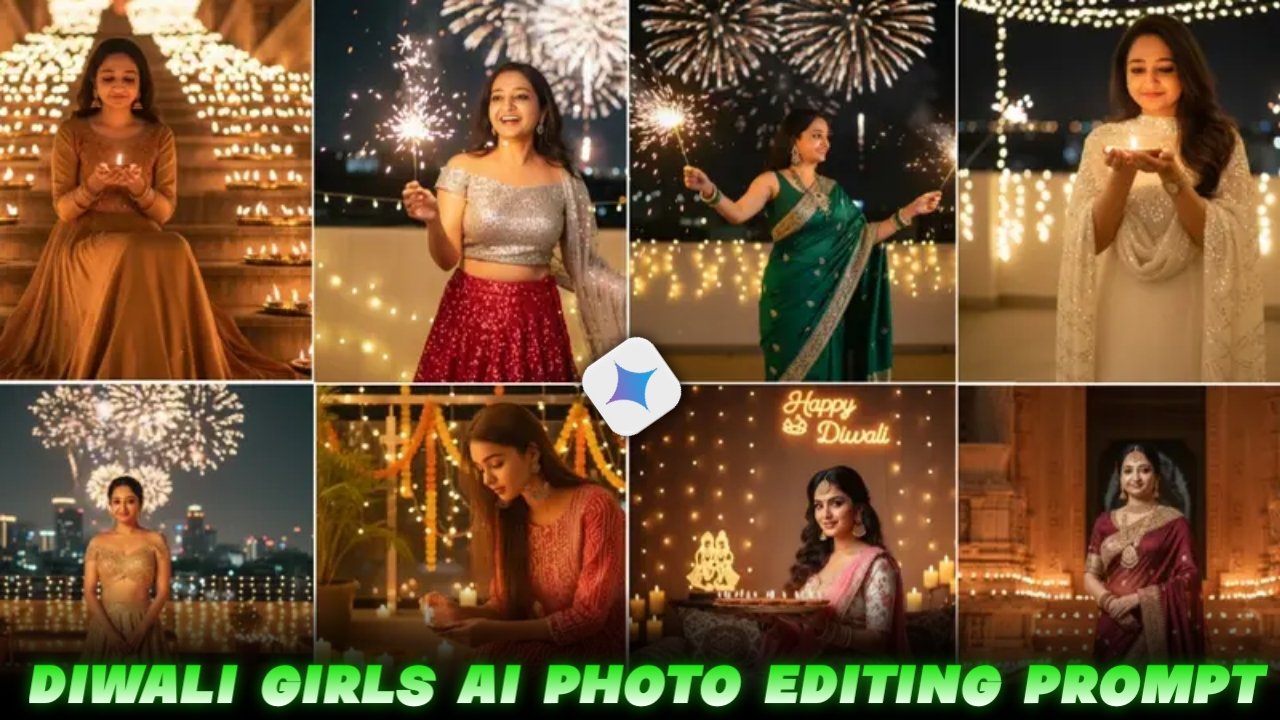
Ultra-photorealistic 8K cinematic festival portrait of an elegant Indian woman, perfectly face-aligned to reference. She sits gracefully on wide stone stairs at night, steps glowing with symmetrical trays of flickering oil lamps (diyas). Warm golden light surrounds her in a radiant halo. She holds a single diya delicately, gazing at it with serene luminous expression. Wearing a golden-red Anarkali suit with thread embroidery on neckline and sleeves, softly shimmering fabric. Keep my face 100% same as uploaded reference image. Jewelry includes traditional jhumkas, delicate bindi, bangles catching firelight. Atmosphere festive and devotional, echoing Ayodhya’s Diwali grandeur:thousands of diyas illuminating the night, golden glow reflecting on her face, soft bokeh lights twinkling. Pinterest-style,cinematic, emotionally resonant. Camera: 50mm prime, f/2.2 aperture for sharp subject and glowing diya bokeh, 1/100s shutter preserving natural flicker, ISO 400 for warm night exposure
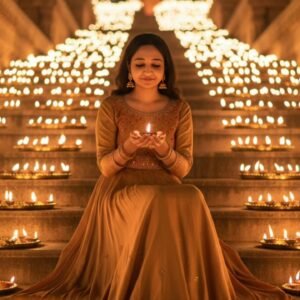
8K cinematic portrait of an uploaded reference image woman holding a glowing fuljhari sparkler, laughing joyfully as golden sparks illuminate her face. Outfit: sequined red lehenga with silver blouse, light breeze catching her dupatta. Background: blurry fireworks in the night sky, fairy lights hanging across terrace. Candid festive moment, Vogue India x Pinterest party vibe. Camera: 35mm, f/1.8, golden bokeh sparks around subject.
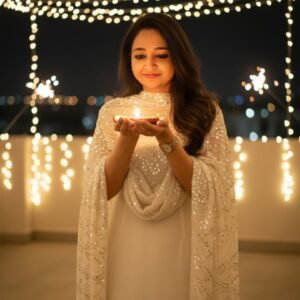
Create Pinterest-inspired shot of an upload reference image Woman in a sleek ivory-white sharara with sequined dupatta, holding a single diya close to her face, smiling softly. Background: minimalist rooftop terrace with fairy lights forming a canopy overhead, sparklers glowing faintly in distance. Style: cinematic, dreamy, modern boho-glam. Camera framing: close-up portrait, golden diya glow highlighting cheekbones. Keep my face 100 percent same as the reference uploaded image
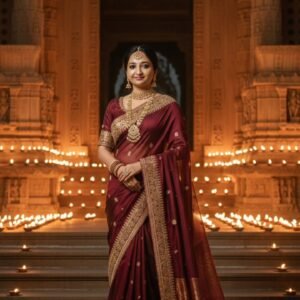
Create Ultra-photorealistic 8K cinematic portrait of an upload reference image woman standing at the entrance of an ancient temple, grand carved pillars glowing with hundreds of diyas. She wears a deep maroon silk saree with golden zari embroidery, heavy Kundan jewelry, long veil trailing across temple steps. Atmosphere regal, sacred, timeless. Camera: 35mm wide, f/1.8 for subject sharpness with glowing diya halos in background. Warm golden-orange light, cinematic editorial style, reminiscent of Vogue x National Geographic. Keep my face 100 percent same as the reference image
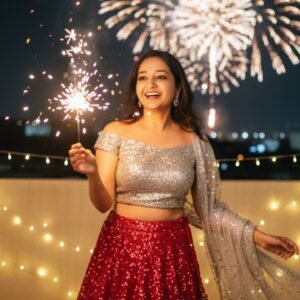
8K hyperrealistic shot of an upload reference image Woman standing sideways, soft smile, holding two sparklers in both hands as sparks scatter around her. Outfit: emerald green modern saree with statement jewelry. Background: fireworks faintly exploding in sky, fairy lights on railing. Lighting golden, cinematic – editorial fashion yet festive street-style energy. Keep my face 100 percent same as the reference uploaded image
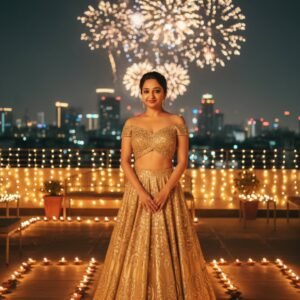
Make 8K editorial portrait of upload reference image woman celebrating Diwali on a rooftop terrace under a night sky with fireworks. She wears a golden lehenga skirt paired with a modern off-shoulder blouse, minimal jewelry, hair tied in a chic bun. Rows of fairy lights and diyas surround her, warm bokeh glow blending with city skyline lights. Cinematic Bollywood glamour, Pinterest-style, fashion-magazine aesthetic. ISO 320, f/2.0, full-body frame, Vogue x Harper’s Bazaar festive look
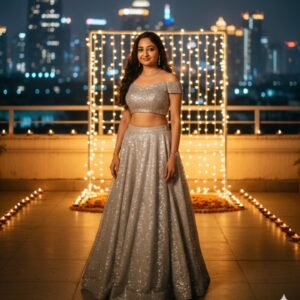
Create Fashion editorial style of an upload reference image Woman leaning against a modern glass balcony, draped in a metallic rose-gold saree with a stylish belt, soft curls flowing, holding a designer brass diya. Background: skyscraper silhouettes, fairy lights cascading behind her. Atmosphere modern, luxurious, Instagram-worthy. Lighting: golden diya glow as key light, subtle ambient city reflections. Style: Pinterest moodboard x Harper’s Bazaar festive glam. Face 100 percent same as uploaded reference image
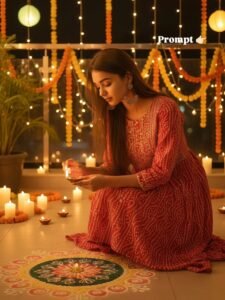
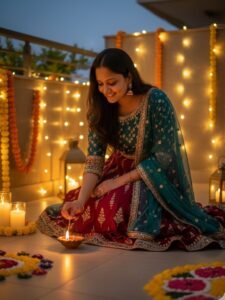
Ultra realistic 4K HD Diwali festival scene, a beautiful young girls wearing a stylish traditional kurta, gracefully lighting an earthen diya lamp. Her face must remain exactly the same as in the reference photo, no face change. Background is outdoor with a modern festive look balcony or terrace decorated with fairy lights, lanterns, glowing candles, flower garlands, and elegant rangoli Warm golden cinematic lighting, natural skin tone, high quality original face real image
ULTRA REALISTIC 4K HD DIWALI FESTIVAL SCENE, A BEAUTIFUL YOUNG WOMAN WEARING AUSTYLISH TRADITIONAL LEHENGA, GRACEFULLY LIGHTING AN EARTHEN DIYA LAMP. HER FACE MUST REMAIN EXACTLY THE SAME AS IN THE REFERENCE PHOTO, NO FACE CHANGE. BACKGROUND IS OUTDOOR WITH A MODERN FESTIVE LOOK – BALCONY OR TERRACE DECORATED WITH FAIRY LIGHTS, LANTERNS, GLOWINS CANDLES, FLOWER GARLANDS, AND ELEGANTO RANGOLIWARM GOLDEN CINEMATIC LIGHTING,NATURAL SKIN TONE, HIGH QUALITY, 100% MATCHING MY FACE.
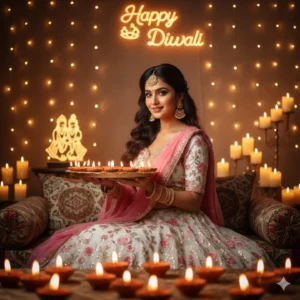
A beautiful young Indian woman wearing a white and pink lehenga, sitting gracefully, holding a decorated brass thali Filled with lit diyas in both hands, head slightly tilted, gentle smile, expressive eyes looking towards the camera. Long wavy hair styled to one side, adorned with maang tikka, earrings, and golden bangles. Background with warm glowing Fairy lights, candles, blurred Radha Krishna idol, and neon lighting spelling “Happy Diwali.” Foreground bokeh of glowing diyas.
How to Create Image:-
Now, to create such images, I have explained it to you in a very easy way below. Just follow the steps mentioned
First of all, you have to click on the create image button.
And you have to login with your Google account.
And below you have to click on the plus icon and upload your selfie photo
Now you have to copy the prompt I have given above.
Then you have to paste the prompt in the text below
Now you have to send it.
Your image will be ready.
Now you have to download it by clicking on your image
So guys, let me tell you that if you want your face to match 100% in the image created by Google Gemini, then understand what I am going to tell you. If you want your face to match perfectly, then the photo you will use to create such an image should not be from your back camera because the important part of you is the one you give to the photo. You use your selfie photo so it should be there so that AI decomposes your photo correctly and let me tell you that until AI decomposes your photo correctly it will not take the correct image.I will not make it My suggestion to you would be that you should use only selfie photos in which your face is clearly visible.
Conclusion:-
So friends, I have told you everything about how you will get the prompt, how the image will be created, the whole process. If you have read the articles correctly and attentively, you will also be able to create such images. And if you quickly upload the article without reading it, you will definitely face some problem in the process of creating your image, but you have read the article properly and followed the steps given.Even then if you are not able to make such an image then don’t worry you have to go to my Instagram or YouTube, Instagram is Vmeditor01 and YouTube ID is VM Editor you have to go to any of the two. And you have to watch Deepwali ai girls images edit reel or video and follow the ID and subscribe to the channel.So you too should go viral by creating such