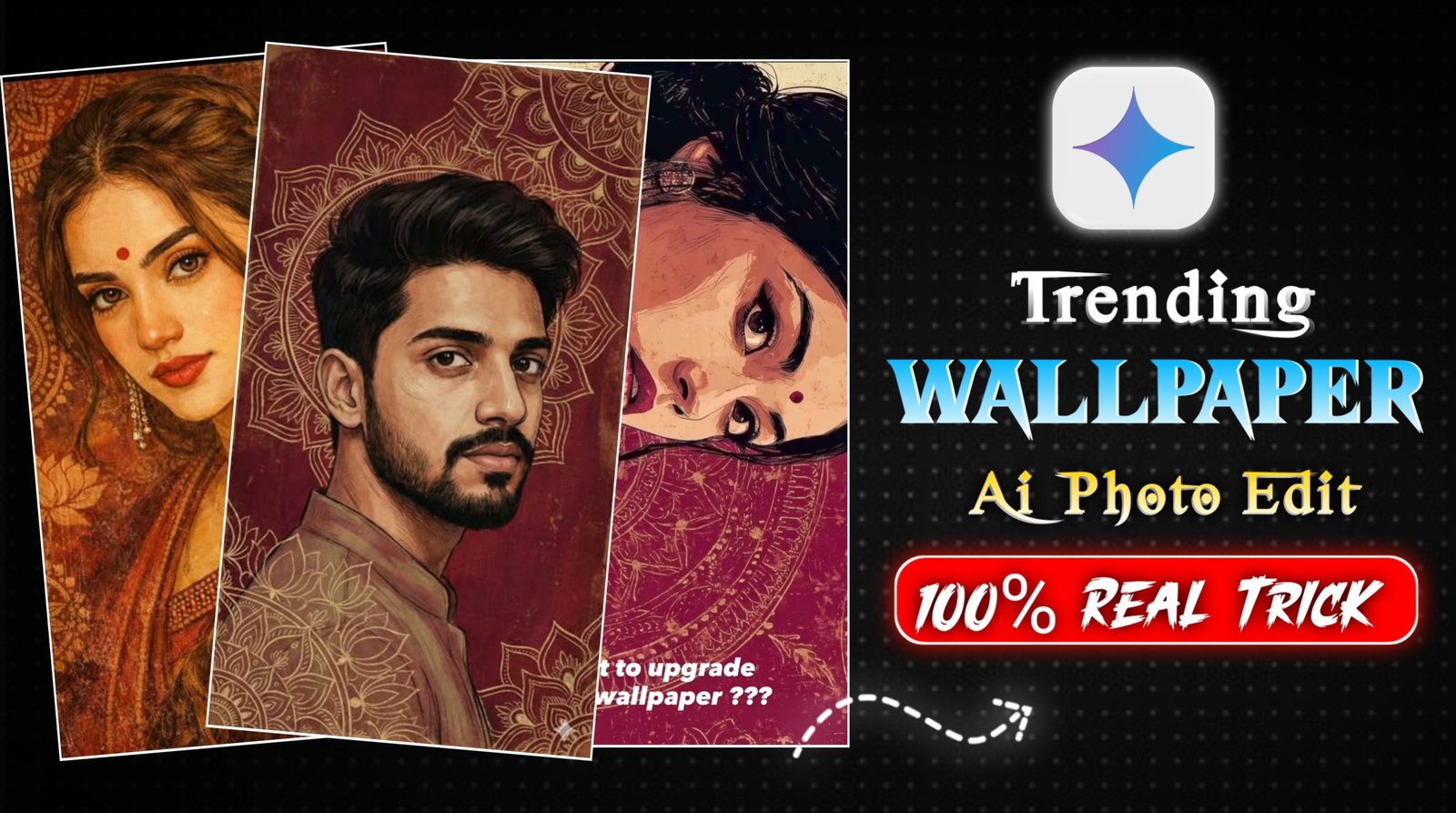
Viral Wallpaper Ai Photo Editing Prompt – So friends, currently, these kinds of wallpaper photos are going viral on Instagram, and people are creating them very quickly. Both boys and girls are making these kinds of photos, which look completely professional. You can use them as your phone’s wallpaper, post them on your stories, or even share them as regular posts. These photos look really great, and many people are creating them because they are trending so much. If you also want to create this type of photo with just one click, then in today’s article, I will give you all the steps and prompts to create them. Using these prompts, you can create these kinds of wallpapers where your entire face will match perfectly. In this article, I will also give you different prompts for different poses, which you can use to create these professional-looking photos with just one click. So let’s explain the process step by step below.
Details:- Viral Wallpaper Ai Photo Editing Prompt
So friends, if we talk about this kind of viral wallpaper photo editing, you probably know that you set wallpapers on your phone. It might be a normal background, or a picture of yourself, or a picture of a deity. But now you can replace it with a professional-looking wallpaper that looks really good. This type of wallpaper is trending all over social media, and you too can create one and set it as your wallpaper. Your wallpaper will also look very attractive and appealing. Nowadays, everyone wants a good wallpaper on their phone that looks nice, a different one for the lock screen and another for the home screen. So I’ll give you two or three different prompts here that you can use to create different types of images and use them in both places. Or, if you want, you can use them for your stories or posts instead of wallpapers, whatever suits you. I’ll tell you how you can create such images.
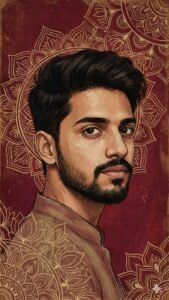
distressed paint, subtle grain and wear.
Color palette: deep reds, maroons, warm browns, muted beige highlights, soft gold undertones. Lighting: soft ambient, evenly diffused, gentle shadows, matte finish. No harsh contrast. No glow. Art style: Indian classical art fusion, folk art texture, vintage mural aesthetic, digital painting. Ultra-high resolution, vertical wallpaper format, cinematic composition. No text. No watermark. Clean edges. Negative constraints: no photorealism, no HDR, no plastic skin, no symmetry correction, no pose exaggeration, no added jewelry, no modern props, no background blur, no typography.
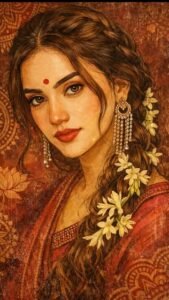
The background is a rich deep maroon and crimson red textile-inspired surface, filled with intricate hand-drawn circular mandala and lotus motifs, resembling ancient Indian murals and temple art. The background texture appears aged, distressed, and parchment-like, with subtle scratches, grain, and worn paint details.
The skin is rendered in a painterly, illustrated style with visible brush strokes and fine linework, not photorealistic. Color palette dominated by deep reds, maroons, gold undertones, warm browns, and muted beige highlights. Soft ambient lighting with gentle shadows, no harsh contrast.
Art style: hand-illustrated, digital painting, Indian classical art fusion, folk art texture, vintage mural aesthetic.
Ultra-high resolution, vertical wallpaper format (9:16), cinematic composition, no text, no watermark, clean edges, suitable for mobile wallpaper.
Optional Style Enhancers (add if supported)
• high detail illustration
• matte finish
• museum-quality artwork
• traditional Indian art meets modern digital illustration
Generate image
How To Create Wallpaper Image
So friends, I’m going to tell you some steps below on how you can create such wallpapers. Follow them carefully, and you’ll be able to create these kinds of photos very easily.
- First of all, you have to click on the create image button.
- And you have to login with your Google account.
- And below you have to click on the plus icon and upload your selfie photo
- Now you have to copy the prompt I have given above.
- Then you have to paste the prompt in the text below
- Now you have to send it.
- Your image will be ready.
- Now you have to download it by clicking on your image
How To Select Parfect Photo
If you’re creating images, the biggest problem you’ll likely encounter is with the face. If your face isn’t matching in the generated image, it’s probably because the image you’re using to create it doesn’t show your face clearly. That’s why you’re not getting a perfect image. To fix this, simply take a selfie or use an image where your face is clearly and fully visible. This will ensure that your face matches perfectly in the generated image. Just give it a try; your face will match perfectly.
Conclusion
So friends, in today’s article, I’ve shown you how to create these kinds of viral wallpaper photos. Using this method, you can create similar wallpapers and set them as your phone’s wallpaper or even post them on your stories. They look completely professional and realistic. I’ve explained all the steps step-by-step, and if you follow them carefully, you’ll be able to create such images very easily.