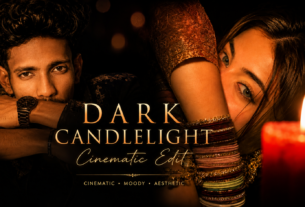
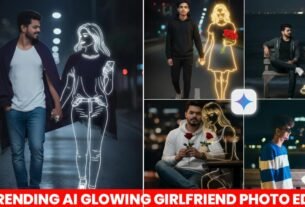
Viral Ai Cinematic Glow Photo Editing Prompt – So friends, you must have seen on Instagram lately that people are enhancing the quality of their photos like this with just one click. These photos look so attractive; they even get a cinematic look. People are creating such photos very quickly, adding lighting and other effects to even their worst photos, transforming them into professional-looking pictures. To create such photos, you’ll need a prompt and a few steps. In this article, I’ll provide you with that prompt, whether you’re a girl or a boy. Using this prompt, you too can add a glow and lighting to even your worst photos, making them look professional. You can then post these photos on your social media platforms or even use them for your stories. Your stories will look amazing too! I’ll explain everything step-by-step below. You need to follow these steps carefully to be able to edit your photos like this.
Details Viral Ai Cinematic Glow Photo Editing Prompt
If you’re also fond of taking photos, you probably click a lot of pictures. While you manage to capture the image, you might notice that the photos lack proper lighting and a certain glow, resulting in poor quality. You might not like the overall picture, even though the pose you struck was great. But now, you can easily enhance the quality of your photos, improve the lighting, and give them a cinematic look with just a simple prompt, in just a few seconds, using Gemini AI. Your enhanced photo will be ready in no time, and you’ll love the result. People are already creating and posting such photos on social media and making reels with them. Many are asking for the prompts used to edit these photos, but they aren’t readily available. So, in this article, I’ll provide you with the prompt and explain the process. Just follow the steps, and your image will be ready. Let’s get started!
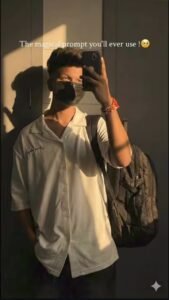
Keep the same background and camera angle as per the reference warm golden hour sunlight casting dramatic shadow on a plain wall ensure the strong shadow of the face on the wall is visible ratio 9:16 overall cinematic tone.
Do not change the pose or any kind of detail, just add sunlight
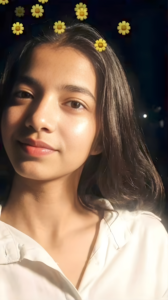
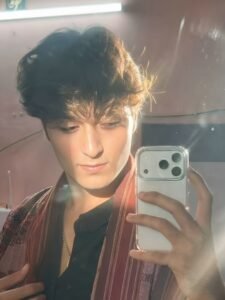
Hard rule: Do not change the face and hairs
How To Create Image :-
So friends, how can you make such photos, how can you increase the quality of your photos, for that I will tell you some steps below, follow them carefully, then you can do it in a very easy way.
- First of all, you have to click on the create image button.
- And you have to login with your Google account.
- And below you have to click on the plus icon and upload your selfie photo
- Now you have to copy the prompt I have given above.
- Then you have to paste the prompt in the text below
- Now you have to send it.
- Your image will be ready.
- Now you have to download it by clicking on your image
Conclusion
So friends, today in this article I have given you such viral photo cinematic quality increase prompt, using which you can increase the quality of your worst photos.And your worst photo will turn into a professional photo with glow and lighting.And I have also given you all the steps and prompts to make such a photo, which both boys and girls can use to make it.I hope you have understood everything and you too have increased the quality of your photo and made a professional photo.So I will meet you guys with another new post, till then bye-bye.