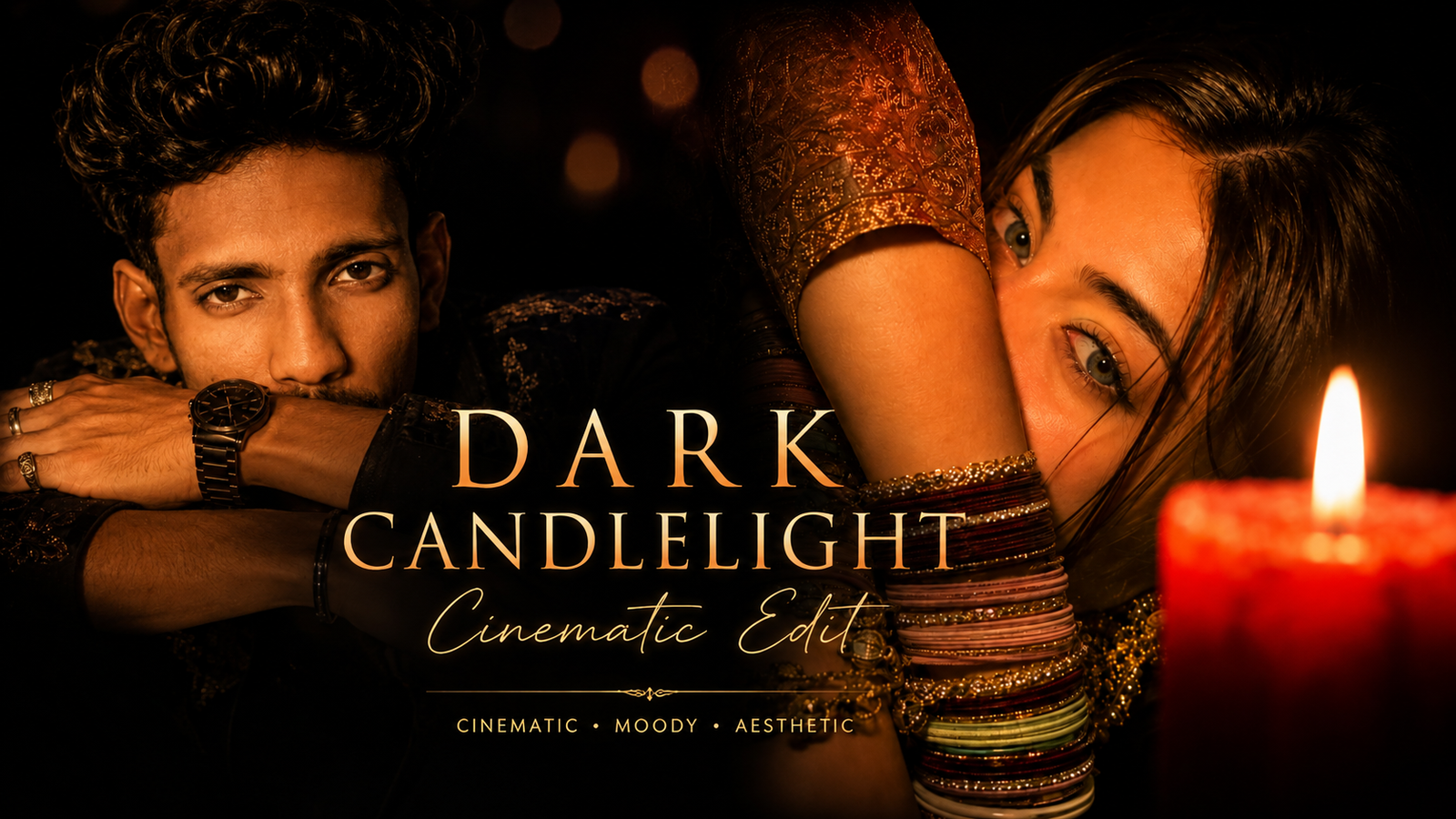
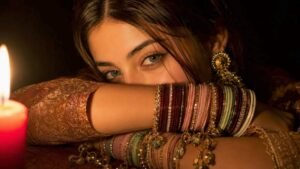
Viral Dark Candlelight Cinematic Edit-So friends, you might have noticed that photos featuring boys and girls set to the song “Teri Nazron Ke Sadke” (from Ruposh) are going viral on Instagram. Dark Candlelight Cinematic Portrait Edit These edits typically feature a girl sitting down, illuminated beautifully by candlelight that highlights her face; she is often shown wearing bangles and a saree. The result looks incredibly impressive and professional. Both men and women are creating these types of photos. If you want to transform your ordinary photos into this style, you can easily do so using a simple prompt. You can then post these images on your social media platforms or share them as stories, as they look fantastic. In this article, I will explain the entire process in detail, so please read it carefully.
Details Of Viral Dark Candlelight Cinematic Edit
You are likely aware of the viral “dark candlelight cinematic” photo editing style that is currently taking social media by storm. Both men and women are creating these photos, and the results look fantastic. The best part is that you don’t need complex editing skills to create them; a simple crop is all it takes. You can transform even a standard, ordinary photo into this dark, cinematic candlelight style. In this article, I will explain the entire process step-by-step, so please read through it carefully.
How to Select the Best Photo For Cinematic Photos
So friends, let me explain how you can select the best photo for this kind of dark, candlelight-style photo editing. To get the best result, you should use a photo taken with your front camera or a back-camera shot where your face is clearly visible and upload it to ChatGPT. This allows ChatGPT to detect your image and generate a perfect photo that accurately matches your facial features, ensuring there are no issues with the likeness. A common mistake people make is using photos that already have filters applied; since the face is already altered, the AI might make further soft adjustments, preventing you from getting the exact, perfect result you want. Therefore, my suggestion for achieving the best outcome is to use a photo taken with the front camera or simply snap a fresh photo right then and there to generate your perfect image. I hope you find this information helpful.
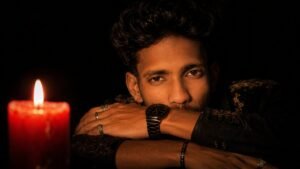
He is wearing a perfectly fitted black kurta with subtle golden embroidery and a dark textured jacket layered over it. His skin has a natural warm golden-brown complexion, realistic pores and skin texture, no excessive makeup. Sharp masculine facial features, defined jawline, thick natural eyebrows and deep expressive eyes. Slightly messy, naturally wavy black hair with a few strands falling across his forehead.
Add a small elegant silver chain around his neck and one minimal statement ring. The overall styling should feel masculine, expensive, mysterious and effortlessly cool.
Lighting: ONLY one burning red wax candle, dramatic chiaroscuro lighting, warm orange-red highlights on his face and hands, extremely deep shadows, cinematic rim light, realistic candle glow, subtle reflections on the watch and rings.
Background: completely black, minimal, atmospheric, no visible room details.
Camera: professional full-frame DSLR, 85mm portrait lens, shallow depth of field, close-up composition, realistic bokeh, cinematic film grain, HDR, ultra-detailed skin texture, natural facial proportions, photorealistic photography.
Mood: mysterious, confident, powerful, sophisticated, dark royal aesthetic, masculine Instagram viral portrait.
Composition: face positioned toward the right/center, red candle glowing in the foreground on the left, crossed arms creating strong horizontal framing.
Aspect ratio: 16:9.
Avoid: cartoon look, artificial skin, excessive beauty retouching, plastic face, distorted hands, extra fingers, duplicate jewelry, text, watermark, oversaturated colors.
How To Create Aesthetic Cinematic candlelight photo
So friends, how can you create such viral static candlelight photos? Let us tell you a simple process and list of steps to follow to create such photos.
- First of all, you have to click on the create image button.
- And you have to login with your Google account.
- And below you have to click on the plus icon and upload your selfie photo
- Now you have to copy the prompt I have given above.
- Then you have to paste the prompt in the text below
- Now you have to send it.
- Your image will be ready.
- Now you have to download it by clicking on your image
Gemini AI vs ChatGPT: Which One Is Best for Photo Editing?
So, friends, which is better ChatGPT or Gemini AI when it comes to generating perfect, realistic images that accurately capture your face? In terms of image generation, both are actually quite capable; you can create images using either one. However, Gemini AI allows you to generate a vast number of images without limits, whereas ChatGPT imposes a restriction, typically limiting you to about four images per day per account. Furthermore, the style of images ChatGPT produces differs from what Gemini AI creates. In my opinion, ChatGPT delivers the best results; the images look excellent and align perfectly with the prompt creating a near-exact match while Gemini AI’s output is slightly different. Consequently, Gemini AI isn’t quite as good as ChatGPT. I personally use ChatGPT; let me know in the comments which one you use.
Conclusion
So friends, in today’s article, I have shared the prompt and the complete process for creating a viral cinematic candlelight photo inspired by the song Teri Nazron Ke Sadke using just a single prompt. I have explained the entire creation process step-by-step, so go ahead and create these viral photos yourself to share on your social media posts and stories.