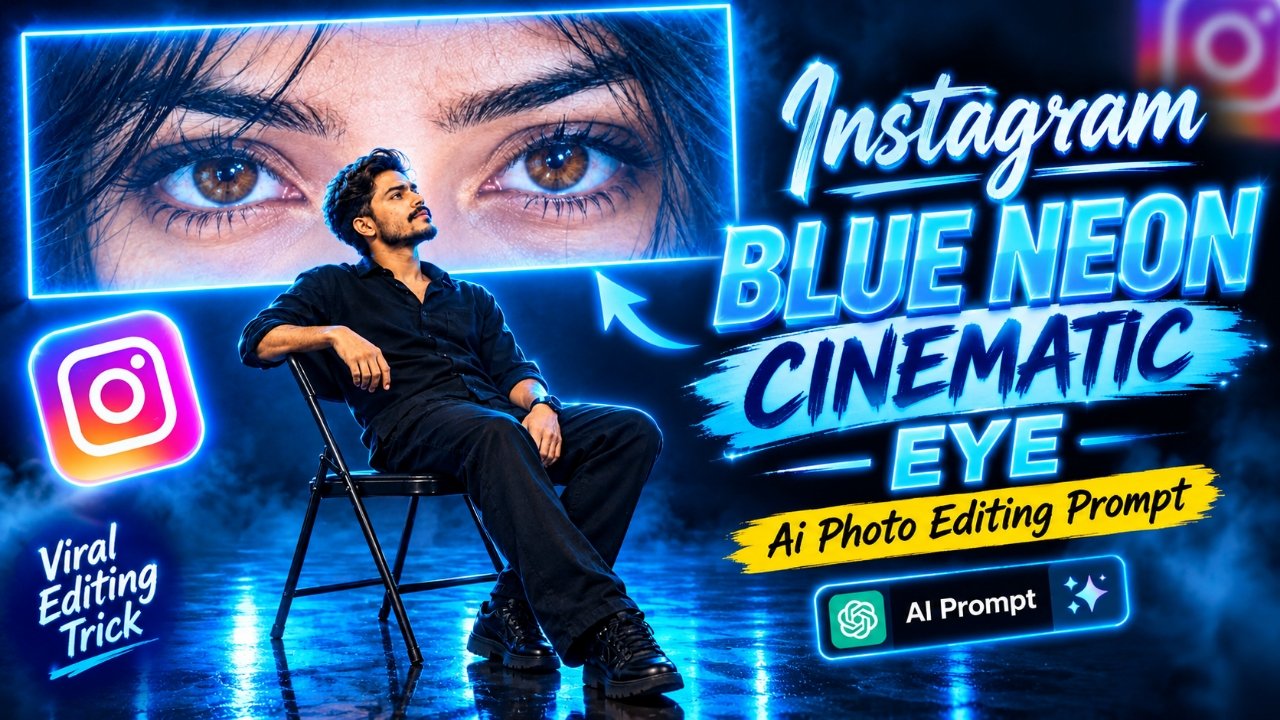
Nowadays, blue neon cinematic photos are becoming very popular on Instagram Reels, especially photos featuring a dark blue studio background, glowing blue neon lights, a large rectangular screen displaying beautiful eyes, and a boy sitting on a chair while looking at the screen. This type of AI-generated photo looks extremely attractive and gives your ordinary picture a professional cinematic appearance. If you have also seen this trending photo on social media and want to create a similar image using your own photo, you are in the right place. In this article, I am sharing an AI photo editing prompt that will help you transform your ordinary photo into a stunning blue neon cinematic portrait completely free of charge and in just a few simple steps. Whether you are a boy or a girl, you can use these prompts to create beautiful images with glowing blue lights, a cinematic studio atmosphere, and a giant screen displaying expressive eyes. These edited photos are perfect for sharing as stories on Instagram, Facebook, WhatsApp, and other social media platforms. Let me show you how to create this trending AI photo using your preferred prompt in just two minutes. So, please read the rest of this article carefully.
Details Of Instagram Viral AI Photo Editing Prompt
If you are active on social media, you have probably noticed that AI-generated cinematic photos are becoming increasingly popular on Instagram, Facebook, and WhatsApp. Many creators are experimenting with different AI photo editing styles to make their pictures look unique and professional. One particularly attractive style features a boy sitting on a black folding chair in a dark studio, looking toward a massive rectangular screen surrounded by bright blue neon lights. The screen displays a close-up of beautiful eyes, while the glossy floor reflects the blue lighting to create a realistic cinematic atmosphere. This photo style looks different from ordinary portrait editing and is perfect for people who want to create something creative for their social media profiles. You do not need an expensive camera, professional lighting equipment, or advanced photo editing skills to create this image. You only need a clear reference photo and a suitable AI editing prompt. By using the prompts provided in this article, you can create a similar image with your preferred appearance, outfit, and cinematic background. Simply copy the prompt, upload your reference photo, and let the AI generate your picture.
How To Select Perfect Photo for Generate Instagram Viral AI Photo
To create a realistic blue neon cinematic photo, selecting the right reference image is one of the most important steps. Your original photo should have a clear face, natural skin tone, and good lighting so that the AI can understand your appearance properly. If you want to create the same sitting pose shown in the reference image, choose a photo where your face and hairstyle are clearly visible. A front-camera photo can work well, but a rear-camera photo is also suitable if the image is sharp and your facial features are easy to recognize. Avoid using blurry pictures, heavily filtered selfies, or photos where your face is covered by objects. For the best results, use a high-quality image with a natural expression and a clear view of your face. When writing your prompt, explain that you want to wear an all-black outfit, sit on a black folding chair, and look toward a giant horizontal screen displaying a close-up of expressive eyes. You should also mention the dark navy-blue studio, glowing blue neon frame, realistic reflections on the floor, and cinematic lighting. These details will help the AI understand the style you want to create. If the generated image does not match your original appearance or the sitting pose is incorrect, try generating the image again with a more detailed prompt.
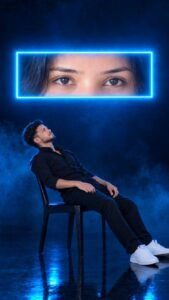
A young man with dark, curly hair seated on a dark metal folding chair in a pitch-black studio space, leaning back slightly and gazing upward. Behind him, a large horizontal glowing rectangular screen displays a close-up, high-detail shot of a woman’s brown eyes staring directly forward. Moody atmosphere illuminated primarily by intense cyan blue light, electric neon glowing screen edges, deep shadows, cinematic rim lighting, 8k resolution, photorealistic, dramatic composition, vertical 9:16 aspect ratio
How to Create Image ?
So, you want to edit a photo like that the one with the Blue eye Photo? Here are the steps just follow them carefully.
- First of all, you have to click on the create image button.
- And you have to login with your Google account.
- And below you have to click on the plus icon and upload your selfie photo
- Now you have to copy the prompt I have given above.
- Then you have to paste the prompt in the text below
- Now you have to send it.
- Your image will be ready.
- Now you have to download it by clicking on your image
What Is The Chat GPT App ?
So, friends, what exactly is ChatGPT? Let me explain. ChatGPT is an AI assistant that can help you generate images, edit photos, write prompts, and get answers to different questions. If you want to create a trending blue neon cinematic portrait like the image shown in this article, you can upload your reference photo and describe the changes you want to make. For example, you can ask ChatGPT to place you on a black chair in a dark blue studio, add a large rectangular screen with a close-up of beautiful eyes, and create bright neon lighting around the screen. You can also specify your preferred clothes, sitting position, background, and overall image quality. The AI will use your instructions to create an image based on your request and the available image-generation capabilities. You do not need to learn complicated photo editing software or spend hours adjusting lighting and effects manually. Simply describe your idea in clear language and provide a suitable prompt. ChatGPT can also help you improve your prompt if the first result does not look exactly as you expected. Whether you are an Instagram creator, a blogger, or someone who enjoys experimenting with AI images, this tool can make the creative process much easier.
Conclusion :-
So, friends, in today’s article, I have explained how you can create an Instagram viral blue neon cinematic AI photo using a reference image and a suitable editing prompt. This style features a boy sitting on a black folding chair, a giant rectangular screen displaying beautiful eyes, bright blue neon borders, a dark studio background, and realistic reflections on the floor. You can recreate this type of image using ChatGPT by uploading your photo and entering a detailed prompt describing the desired scene. I have also explained how to select the right reference photo and why using clear instructions is important for achieving better results. Simply copy the prompt that matches the style you want, upload your reference image, and generate your own cinematic portrait. Once your image is ready, you can share it as an Instagram Story, Facebook post, WhatsApp Status, or use it as a creative profile picture. So, try this trending AI photo editing style and create your own attractive blue neon cinematic image.