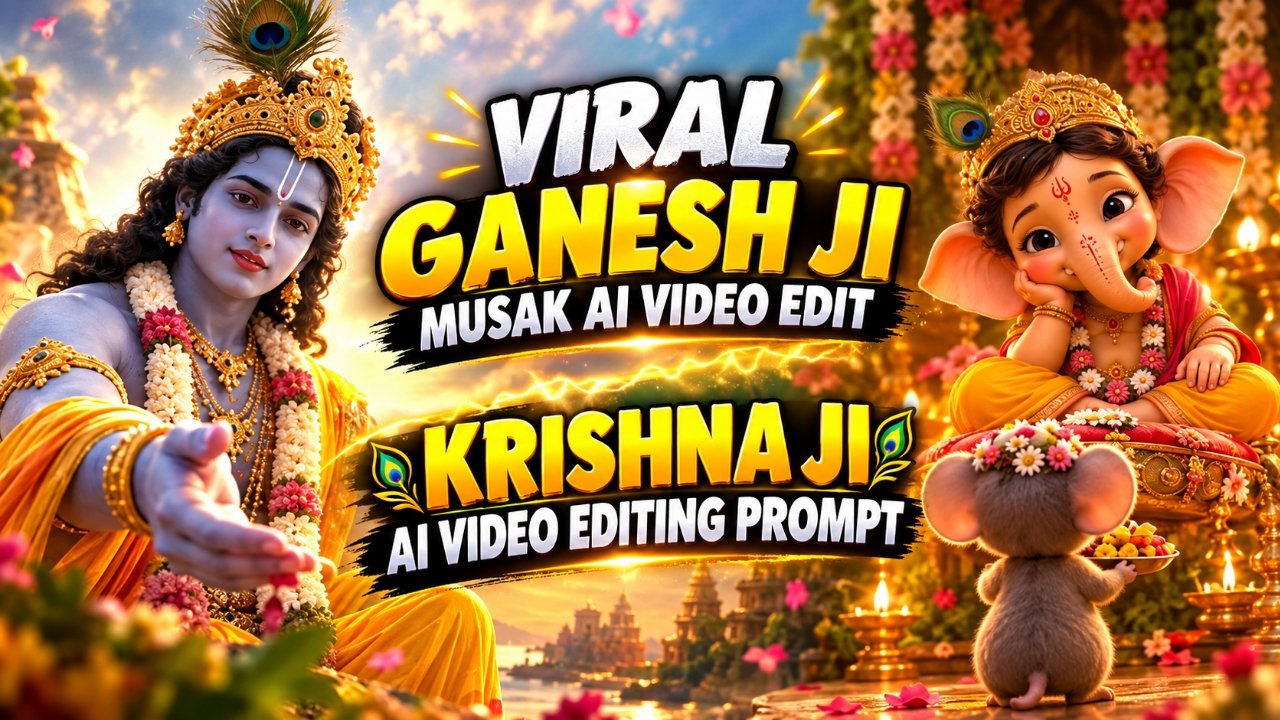
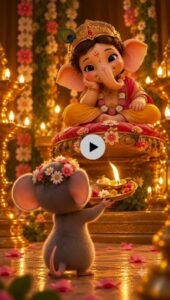
If you look at Instagram, YouTube Shorts, or Facebook Reels these days, you may notice that Ganesh Ji AI videos are getting a lot of attention. In these videos, AI-generated characters are shown performing cute and devotional activities in front of Lord Ganesha. The video you are watching follows the same concept, where a cute little mouse is seen worshipping Ganesh Ji with a puja thali.These videos are becoming popular because they combine devotion, cuteness, and AI creativity in a single video. The beautiful temple atmosphere, diyas, flowers, warm lighting, and cinematic visuals make the content even more attractive. The best part is that you don’t need a professional camera or studio to create such videos. With the help of AI image and video generation tools, you can create similar devotional scenes yourself. In this article, I will explain how these Ganesh Ji AI videos are created and why they are becoming popular on social media.
Why Is Ganesh Ji AI Video Trending?
Ganesh Ji AI videos are getting attention because they combine devotional content with cute and emotional visual storytelling. Ganesh Ji is already a popular subject for religious and festive content in India, while AI-generated characters like the cute mouse make these videos more interesting and visually different from regular devotional posts. Another reason is that these videos look cinematic and creative without being overly complicated. People can easily watch, share, and repost them on Instagram Reels, YouTube Shorts, and Facebook. When elements like Ganesh Ji + a cute character + a beautiful temple environment + an emotional devotional moment are combined, the result becomes highly engaging for viewers. Because of this, many creators are experimenting with Ganesh Ji AI devotional videos and creating their own unique versions. You can also use the same technique with different characters, stories, and devotional scenes to create AI videos on other gods, festivals, and trending topics.
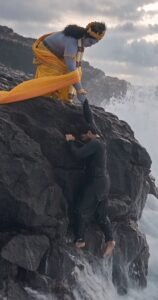
Create an ultra-realistic, cinematic and deeply emotional devotional video featuring the exact identity of the adult male from my uploaded face reference image.
MAIN CHARACTER IDENTITY:
Preserve the man’s exact facial identity throughout the entire video — same face shape, eyes, eyebrows, nose, lips, beard, hairstyle, skin texture, complexion, age and recognizable facial features. Do not beautify, redesign, morph or replace his face. He must look like the exact same real person in every shot. The male character is wearing a fitted all-black outfit, black full-sleeve shirt and black pants, with a natural realistic appearance. Keep his outfit, hairstyle and physical proportions consistent throughout.
KRISHNA CHARACTER:
Use the uploaded Krishna Ji reference image as the visual reference. Create a highly realistic divine depiction of Lord Krishna with natural blue skin, long dark curly hair, an ornate traditional golden crown topped with a single beautiful peacock feather, traditional gold jewellery, yellow dhoti with rich golden detailing, orange-golden flowing dupatta, floral garland and traditional ornaments. His appearance should feel divine, peaceful and majestic, not cartoonish or artificial.
ENVIRONMENT:
A dramatic rocky ocean coastline during an overcast cloudy evening. Massive dark black volcanic rocks, crashing ocean waves, mist, wet surfaces and a cinematic grey-blue sky. The environment should feel grand, spiritual and slightly mysterious. Realistic water physics, realistic wet skin and clothing, natural wind movement.
SHOT 1 — 0-4 seconds:
Extreme close-up of the male character struggling against the wet rocks near the ocean. His face is emotional, exhausted and vulnerable. Small water droplets are visible on his face and hair. He looks upward with tears and desperation in his eyes. Camera slowly pushes toward his face. Natural handheld cinematic movement, shallow depth of field, realistic skin texture.
SHOT 2 — 4-8 seconds:
Cut to a low-angle cinematic shot revealing Lord Krishna sitting peacefully above him on the dark rocky cliff. Krishna looks down toward the man with a calm, compassionate expression and slowly extends his hand toward him. His golden crown, peacock feather, jewellery, yellow dhoti and flowing orange fabric move naturally in the strong ocean wind.
SHOT 3 — 8-13 seconds:
Close cinematic shot of Krishna’s divine blue hand reaching downward toward the struggling man. The man’s wet hand slowly reaches upward and grabs Krishna’s hand. Their hands connect naturally and physically. Krishna’s expression remains peaceful and compassionate. Emphasize the emotional moment of divine help.
SHOT 4 — 13-18 seconds:
Wide cinematic shot. Krishna firmly holds the man’s hand and pulls him upward from the dangerous rocky edge. The man struggles naturally as water crashes against the rocks below. Krishna remains powerful but gentle. His orange-golden cloth flows dramatically in the wind. Camera slowly moves backward and upward, revealing the huge ocean and cliffs.
SHOT 5 — 18-23 seconds:
Krishna successfully brings the man onto the safe rocky surface. The man is overwhelmed emotionally and immediately embraces Krishna tightly. Krishna gently wraps both arms around him in a compassionate protective embrace. The man’s eyes close and tears flow naturally. Krishna looks peaceful and loving.
SHOT 6 — 23-25 seconds:
Final cinematic wide shot from behind and slightly above them. Krishna and the man remain together on the dark rocks while huge ocean waves crash behind them. Wind moves Krishna’s yellow and orange garments naturally. Soft divine light subtly appears through the cloudy sky, creating a spiritual atmosphere without looking like fantasy CGI.
VISUAL STYLE:
Ultra-realistic Indian cinematic film, photorealistic human skin, realistic facial expressions, physically accurate hands and fingers, realistic cloth simulation, realistic ocean waves, natural wind, subtle film grain, shallow depth of field, cinematic composition, anamorphic lens characteristics, natural motion blur, realistic atmospheric mist, premium movie cinematography.
CAMERA:
Professional cinema camera, 35mm and 50mm lens look, slow controlled dolly movements, low-angle shots, close-ups, wide establishing shots, natural handheld movement during the struggle, smooth cinematic transitions.
COLOR:
Dark moody cinematic grey-blue environment with natural skin tones. Krishna’s blue skin, golden jewellery and yellow/orange clothing remain rich and visually prominent. Do not over-saturate. Keep the image realistic and premium.
EMOTION:
Devotion, surrender, desperation, divine protection, relief and unconditional compassion. The emotional storytelling should feel genuine and deeply moving rather than theatrical.
REALISM REQUIREMENTS:
The male character must remain the exact same person throughout. No face morphing, no identity drift, no facial changes, no duplicate person, no extra fingers, no deformed hands, no unnatural body movement, no floating objects, no plastic skin, no CGI appearance, no cartoon look, no artificial facial expressions, no sudden costume changes, no inconsistent Krishna appearance.
IMPORTANT:
Prioritize identity consistency and realistic physical interaction between Krishna and the male character. The hand-grab, pulling action and final embrace must look physically believable and emotionally authentic.
NEGATIVE / AVOID:
Face changing or identity drift, different person between shots, face beautification, plastic skin, cartoon/CGI look, distorted hands, extra fingers, missing fingers, duplicated limbs, unnatural body proportions, floating objects, broken anatomy, inconsistent clothing, inconsistent Krishna appearance, flickering face, warped facial features, unnatural eye movement, exaggerated expressions, oversaturated colors, artificial-looking ocean, unrealistic water physics, random camera cuts, text, subtitles, logos, watermark.
REFERENCE SETUP:
Reference 1: Your own clear face photo → MAIN CHARACTER IDENTITY
Reference 2: Krishna Ji generated/reference image → KRISHNA CHARACTER + COSTUME + LOOK
Create Your Video
How to Create Ganesh Ji AI Videos Using AI?
To create this type of video, the first step is to prepare a detailed AI image prompt. In the prompt, you can describe Lord Ganesha, the temple environment, flowers, diyas, lighting, and the character performing the puja. For example, you can create a scene where a cute little mouse is standing in front of Ganesh Ji while holding a puja thali, similar to the video shown above. Once the image is generated, you can use it in an AI video generation tool to add natural movements and cinematic camera motion. For example, the mouse can slowly move the puja thali forward, the diya flame can naturally flicker, the flowers and background lights can have subtle movement, and the camera can slowly move toward Ganesh Ji. You can also create multiple scenes using the same concept, such as the mouse performing aarti, folding its hands in front of Ganesh Ji, or lighting a diya inside the temple. After creating the clips, you can combine them into a complete Instagram Reel or YouTube Short. Adding suitable devotional music or a voice-over can make the final video even more engaging.
What Is The Google Flow Ai?
So friends, let me explain what Google Flow AI actually is. As you know, Google Flow AI is a Google-owned platform designed for creating cinematic videos with AI. You can create videos from text prompts, use images as visual references, and generate scenes based on the instructions you provide. It is useful for creating different types of cinematic videos, including devotional AI videos, retro videos, and other trending social media content. Google Flow AI can help you transform a still photo into a video when the relevant image-to-video features are available. You simply need to provide your photo and a suitable prompt, and the AI tool generates a video based on your instructions. The exact features, free credits, video duration, and aspect ratios available may depend on your account, region, and current Google Flow options. Some features may require credits or a paid plan, so check the available settings before generating your video. People are using AI video tools to create creative content for Instagram and other social media platforms. In this article, I have also explained how you can use a Parvati Ji-inspired prompt to create a beautiful devotional cinematic video. So, if you also want to try this trending AI video editing style, simply follow the steps given above, upload your photo, copy the prompt, and create your own devotional cinematic video using Google Flow AI.
Conclusion :-
So guys, I have told you everything about how you can make such trading videos like Ganesh and Mausak ji. How to use the prompt, how to generate the video, everything, if you also want to make such a video then you should read this article from beginning to end and you will also understand.And if you make a video of Aise Aai Ganesh and Mausak ji at this time and upload it on social media, then your video will also go viral. Due to which your account will grow and your account will be twitched. You should go ahead and make such videos and make them viral and grow your account.