Girls Boy’s Eye Close Up Portrait Ai Photo Editing Prompts

Ai Photo Editing

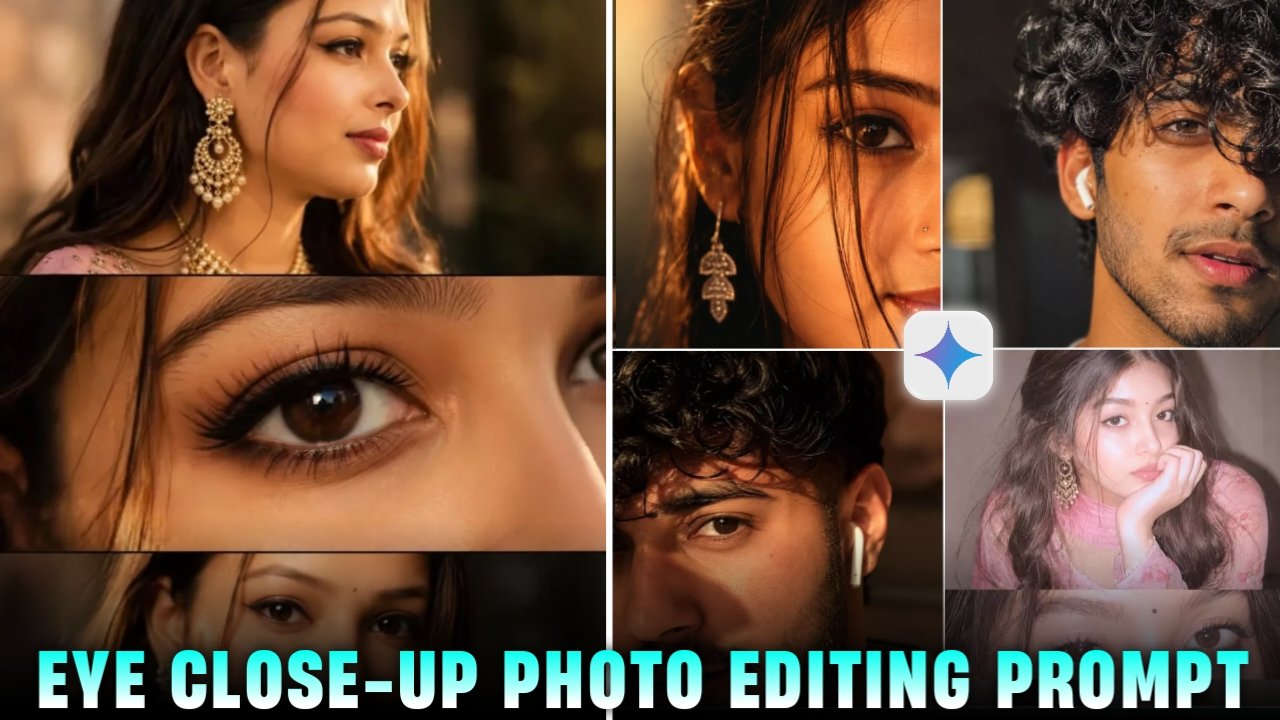
Eye Close Up Portrait Ai Photo Editing Prompt – So friends you noticed that some simple photos get thousands of likes on social media One of the biggest trends right now is the eye close-up portrait. It doesn’t need a luxury camera, fancy clothes, or an expensive location. A clear photo is enough to get started. After that, an AI editing tool can sharpen the eye details, improve the lighting, and add a clean, cinematic look in just a few steps. The final result looks impressive without spending hours on editing. That’s why so many creators are trying this style for Instagram and other platforms. If you’re looking for an easy way to make your photos stand out, this trend is definitely worth a try. Even if you’re new to photo editing, you can create a professional-looking eye portrait in just a few minutes with the right AI tool.

Details Of Eye Close up photo editing prompt

So friends, I will tell you about the details of this kind of eye close-up photo which you are seeing, such photos are being made by both boys and girls, which look very good to see. And the quality of the photo is such that it seems as if the photo was taken in a studio with an expensive camera. And people are liking this photo very much, which is being made in large numbers by both boys and girls. So how can you make it? I am going to tell you in today’s article, so entire article carefully and you can make such a photo.
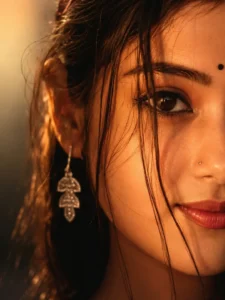
Ultra-close cinematic portrait of a young woman, only half of her face visible, warm golden-hour lighting, soft amber tones, loose dark hair strands falling across her face, deep brown expressive eye in sharp focus, subtle natural makeup, small nose piercing, glossy natural lips, long dangling silver earring, dreamy and intimate mood, shallow depth of field, creamy bokeh background, soft shadows, high skin texture detail, photorealistic, DSLR photography, 85mm lens, f/1.4, warm color grading, moody aesthetic, editorial beauty shot, ultra-realistic, 8K quality.
Ratio 3:4

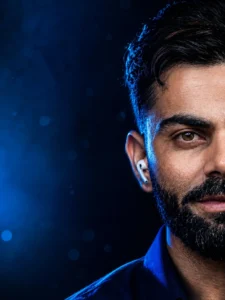
Blue Close Up Portrait DP – Men Prompt Use the uploaded reference image as the exact identity of the person. STRICT IDENTITY LOCK Preserve 100% facial structure, face shape, skin tone, hairstyle, hair texture, eyebrows, eyes, nose, lips, jawline, beard, facial proportions, age, expression, and overall identity. Do not change the person’s face, ethnicity, facial features, hairstyle, or natural appearance in any way. PROMPT Ultra-realistic cinematic close-up portrait, only half of the face visible, face positioned on the extreme right side of the frame with approximately 50% negative space on the left, one eye perfectly visible with razor-sharp focus and an intense confident gaze, thick messy black hair naturally falling over part of the forehead, realistic beard and mustache, white wireless earbud in one ear, premium midnight blue textured shirt collar slightly visible. Deep midnight blue studio lighting illuminating the face from the left side, electric sapphire blue rim light outlining the hair and shoulders, soft blue reflections across the skin, cinematic HDR lighting, subtle volumetric blue light rays, glowing eye catchlight, ultra-detailed skin pores, realistic facial hair strands, natural skin texture, enhanced facial brightness, dramatic high-contrast shadows, luxury editorial lighting. Deep black and midnight blue blurred background with soft blue bokeh particles, subtle cinematic fog, premium minimal composition, DSLR photography, 85mm portrait lens, f/1.4 aperture, ultra shallow depth of field, professional color grading, luxury editorial portrait, Instagram premium aesthetic, hyper realistic, photorealistic, RAW photo quality, masterpiece, magazine cover quality, award-winning portrait photography, ultra detailed, 16K Ultra HD, HDR, extreme facial detail, ultra sharp, noise free.STYLE: Midnight Blue Eye Elite DP, luxury men’s fashion editorial, modern billionaire aesthetic, premium Instagram portrait, minimal luxury, hyper realistic, professional DSLR photography, cinematic masterpiece. COLOR PALETTE: Midnight Blue, Deep Black, Electric Sapphire Blue, Cool Silver, Soft White Highlights.Negative Prompt: low quality, blur

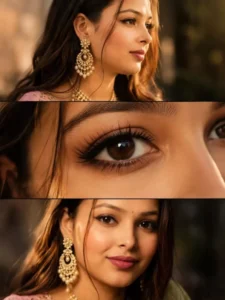
Cinematic feminine beauty collage in three elegant horizontal frames, ultra-realistic Vogue-style beauty editorial, warm golden sunlight, soft shadows, premium luxury aesthetic.Top frame: girls pormote ⚡️✨Close-up side profile of a young woman wearing intricate gold-pearl jhumka earrings, glowing skin, flowing dark hair, delicate features, cinematic golden-hour lighting, shallow depth of field. @meta.aiMiddle frame: Extreme close-up of a beautiful brown eye, glossy reflections, long curled eyelashes, natural skin texture, subtle makeup, ultra-detailed macro photography, dreamy focus.Bottom frame: Close-up portrait of the same woman with radiant skin, soft nude lips, gentle smile, loose hair framing her face, elegant traditional styling, golden-hour glow, luxurious feminine beauty.

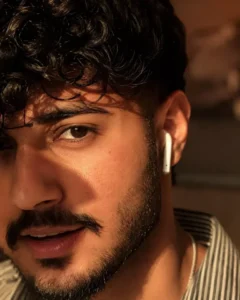
Ultra-realistic cinematic close-up portrait of a handsome young man, half face visible, thick messy wavy hair covering one eye, brown eyes, sharp eyebrows, natural beard and mustache, soft lips slightly parted, white wireless earbud, warm golden hour sunlight on face, dramatic shadows realistic skin texture and pores, shallow depth of field, blurred indoor background 85mm lens f/1.4, sharp focus, high contrast, photorealistic DSLR photography, Instagram aesthetic, ultra-detailed.

Create Your Image

How To Create Image :-

Now, to create such images, I have explained it to you in a very easy way below. Just follow the steps mentioned

  • First of all, you have to click on the create image button.
  • And you have to login with your Google account.
  • And below you have to click on the plus icon and upload your selfie photo
  • Now you have to copy the prompt I have given above.
  • Then you have to paste the prompt in the text below
  • Now you have to send it.
  • Your image will be ready.
  • Now you have to download it by clicking on your image

How to Fix Eye Close-Up Portrait Face Match Problem

If you’re creating an AI eye close-up portrait and the final image doesn’t look like you, don’t worry. The most common reason is using a low-quality reference photo. To get the best result, upload a clear selfie where your face and eyes are fully visible. Make sure the image has good lighting and isn’t blurry or covered by sunglasses, hair, or heavy filters. AI creates better eye portraits when it can clearly recognize your facial features. A sharp, natural photo will help the AI generate an eye close-up that looks much closer to your real appearance.

Conclusion

That’s all for this Eye Close-Up Portrait AI editing tutorial. I hope this guide helped you understand the complete process. Just follow the steps carefully, use a clear reference photo, and let the AI do the rest. Within a few minutes, you can create a realistic and eye-catching close-up portrait that is perfect for sharing on social media. If you run into any problems while creating your image, feel free to leave a comment. I’ll do my best to help you. Stay tuned for more AI photo editing tutorials and new trending editing idea
Leave a Reply

Your email address will not be published. Required fields are marked *