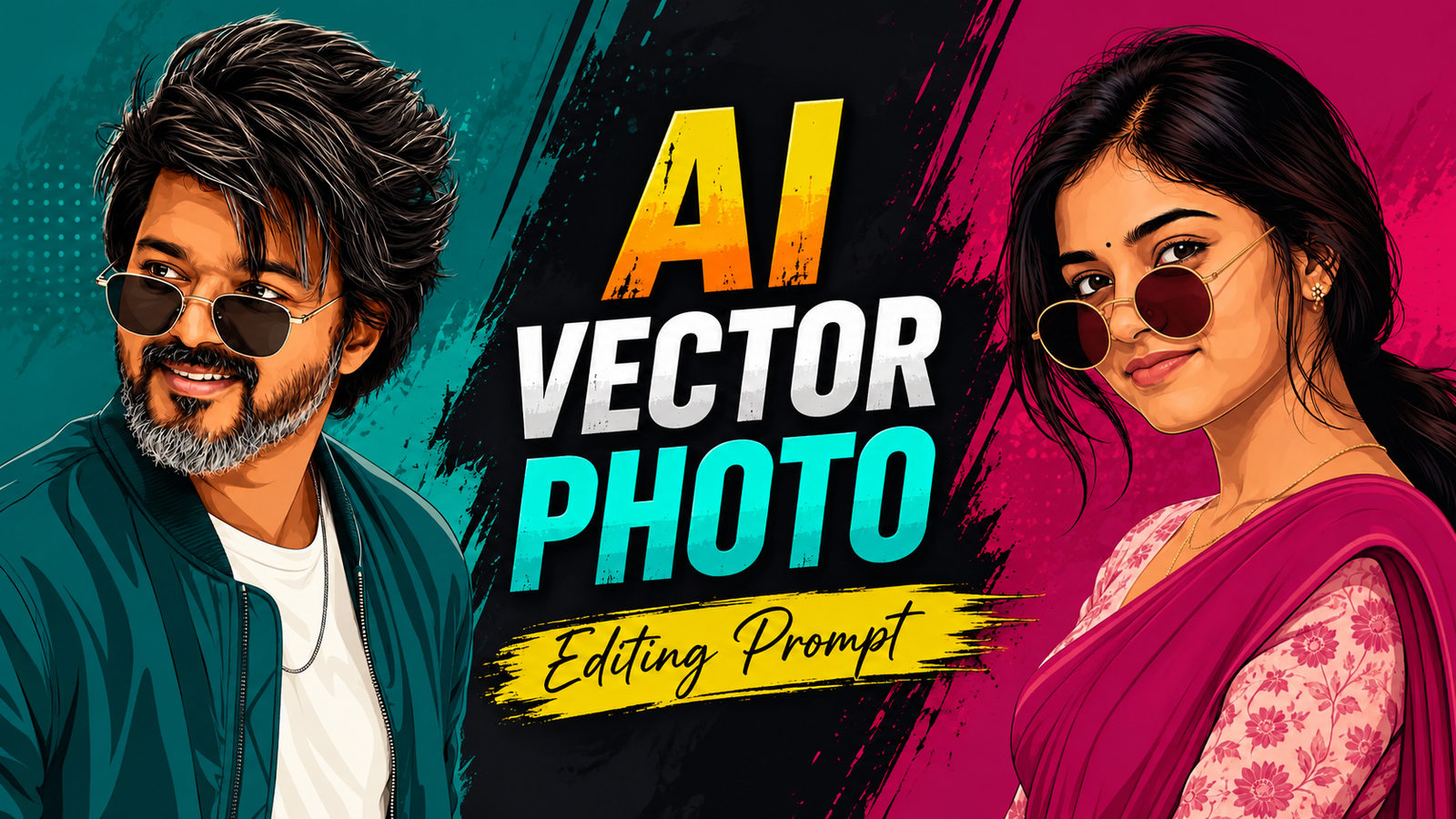
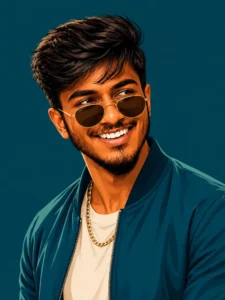
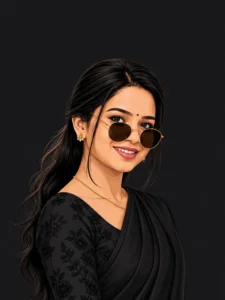
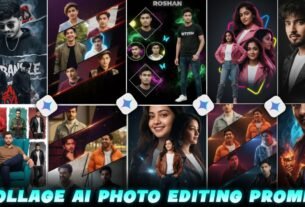
So friends, vector photos are currently going viral and trending on Instagram, and people are creating a lot of such vector images. And they look great too. And in today’s article I am going to give you a prompt about this and tell you about it in the easiest way. And if you make this time and post it on Instagram, you have every chance of going viral. And the best thing is that both boys and girls are making this type of photo. And this is the right time to impress your crush and girlfriend by making such a photo of them. If you send such an image to them, they will be impressed by you. And this is the right time to make this type of photo because it is in trend right now and something goes viral only when it is a part of a trend. Because it goes into the feed in everyone and is made and
Details Instgram Viral Ai Vector Photo Edit :-
To create Vector AI Photo Editing, I will tell you step by step below which prompt to copy, which photo to generate, which app to use, everything. Just read this article carefully from start to end and understand it, only after that you will proceed further to generate your photo. Because if you do any step without understanding it, you will definitely face some problem somewhere, so read the first article and understand it before creating the photo. This type of photo looks a bit like a painting, as if someone has drawn it with their own hands and the quality of this type of vector photo will also be up to 4K. Now I will tell you below what you will need to create this type of image and where you will find those things.
What do You Need to Create Vector Photo ?
So I am telling you what things you will need to make a vector photo. To make this type of AI vector photo, first of all you have to copy the prompt given by me by clicking on the copy button and then you have to download Chatgpt from Playstore. And below the prompt, I will tell you some steps, you have to follow them, only then you will be able to edit such viral AI vector photo.
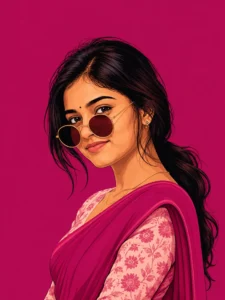
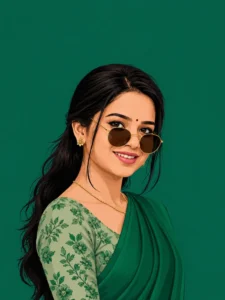
Create this as a 9:16 vertical portrait image. Using the attached reference photo, recreate the person’s face with high precision exact facial structure, eyes, nose, lips, and skin tone matching the reference photo closely, side-profile or three-quarter angle as shown. Style: bold flat vector illustration, clean smooth linework, minimal shading, poster-art aesthetic no painterly texture, crisp digital vector finish. Pose: head turned slightly to the side in a relaxed three-quarter profile, one shoulder forward, subtle confident expression, hair styled in soft loose waves pulled into a low ponytail with a few face-framing strands. Outfit: elegant traditional saree in a single bold monochrome color family (deep teal, burnt orange, or rich magenta – pick one saturated tone), with a delicate floral-print blouse in a contrasting lighter shade of the same color family, small dainty flower-shaped stud earring, thin gold chain necklace, round vintage-style sunglasses pushed slightly down the nose. Background: solid bold monochrome color matching the outfit’s color family, completely flat with no texture or gradient, high contrast, poster-style minimalism. Composition: subject positioned in the lower two-thirds of the frame with headroom above, generous negative space around the head, fully filling the 9:16 vertical frame, clean poster-quality layout. Style: flat vector illustration, bold saturated color palette, minimal linework, high-fashion editorial poster quality, confident and stylish mood.
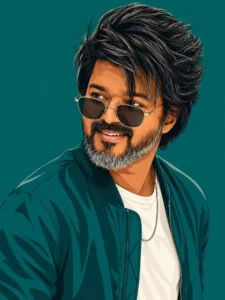
Create this as a 9:16 vertical portrait image.Using the attached reference photo, recreate the person’s face with high precision – exact facial structure, eyes, nose, lips, jawline, beard/facial hair (if any), and skin tone matching the reference photo closely, side profile or three-quarter angle as shown. Style: bold flat vector illustration, clean smooth linework, minimal shading, poster-art aesthetic – no painterly texture, crisp digital vector finish. Pose: head turned slightly to the side in a relaxed three-quarter profile, one shoulder forward, warm charming smile – natural, confident, slightly playful, eyes gently engaged. Hair styled neatly matching the reference (textured, swept back, or tousled as shown). Outfit: sharp casual-formal look – a solid-color bomber jacket or structured shirt in a single bold monochrome tone (deep teal, burnt orange, or charcoal-pick one saturated color), plain fitted t-shirt or collared shirt underneath in a lighter contrasting shade, minimal accessories (thin chain necklace or wristwatch), round or square vintage-style sunglasses pushed slightly down the nose. Background: solid bold monochrome color matching the outfit’s color family, completely flat with no texture or gradient, high contrast, poster-style minimalism. Composition: subject positioned in the lower two-thirds of the frame with headroom above, generous negative space around the head, fully filling the 9:16 vertical frame, clean poster-quality layout. Style: flat vector illustration, bold saturated color palette, minimal linework, high-fashion editorial poster quality, confident, charming, and stylish mood.
Create this as a 9:16 vertical portrait image. Using the attached reference photo, recreate the person’s face with high precision -exact facial structure, eyes, nose,lips, and skin tone matching the reference photo closely, side profile or three-quarter angle as shown. Style: bold flat vector illustration, clean smooth linework, minimal shading, poster-art aesthetic – no painterly texture, crisp digital vector finish. Pose: head turned slightly to the side in a relaxed three-quarter profile, one shoulder forward, subtle confident expression, hair styled in soft loose waves pulled into a low ponytail with a few face-framing strands. Outfit: elegant traditional saree in a single bold monochrome color family (deep teal, burnt orange, or rich magenta – pick one saturated tone), with a delicate floral-print blouse in a contrasting lighter shade of the same color family, small dainty flower-shaped stud earring, thin gold chain necklace, round vintage-style sunglasses pushed slightly down the nose. 2,369 Background: solid bold monochrome color matching the outfit’s color family, completely flat with no texture or gradient, high contrast, poster-style minimalism. Composition: subject positioned in the lower two-thirds of the frame with headroom above, generous negative space around the head, fully filling the 9:16 vertical frame, clean poster-quality layout. 103 Style: flat vector illustration, bold saturated color palette, minimal linework, high-fashion editorial poster quality, confident and stylish mood.don’t change the face
Create this as a 9:16 vertical portrait image. Using the attached reference photo, recreate the person’s face with high precision – exact facial structure, eyes, nose, lips, jawline, beard/facial hair (if any), and skin tone matching the reference photo closely, side-profile or three-quarter angle as shown. Style: bold flat vector illustration, clean smooth linework, minimal shading, poster-art aesthetic – no painterly texture, crisp digital vector finish. Pose: head turned slightly to the side in a relaxed three-quarter profile, one shoulder forward, warm charming smile – natural, confident, slightly playful, eyes gently engaged. Hair styled neatly matching the reference (textured, swept back, or tousled as shown). Outfit: sharp casual-formal look – a solid-color bomber jacket or structured shirt in a single bold monochrome tone (deep teal, burnt orange, or charcoal – pick one saturated color), plain fitted t-shirt or collared shirt underneath in a lighter contrasting shade, minimal accessories (thin chain necklace or wristwatch), round or square vintage-style sunglasses pushed slightly down the nose. Background: solid bold monochrome color matching the outfit’s color family, completely flat with no texture or gradient, high contrast, poster-style minimalism. Composition: subject positioned in the lower two-thirds of the frame with headroom above, generous negative space around the head, fully filling the 9:16 vertical frame, clean poster-quality layout. Style: flat vector illustration, bold saturated color palette, minimal linework, high-fashion editorial poster quality, confident, charming, and stylish mood.
Using the attached reference photo, recreate the person’s face with high precision – exact facial structure, eyes, nose, lips, and skin tone matching the reference photo closely, side profile or three-quarter angle as shown.Style: bold flat vector illustration, clean smooth linework, minimal shading, poster-art aesthetic – no painterly texture, crisp digital vector finish. Pose: head turned slightly to the side in a relaxed three-quarter profile, one shoulder forward, subtle confident expression, hair styled in soft loose waves pulled into a low ponytail with a few face-framing strands. Outfit:elegant traditional saree in a single bold monochrome color family (deep teal, burnt orange, or rich magenta – pick one saturated tone), with a delicate floral-print blouse in a contrasting lighter shade of the same color family, small dainty flower-shaped stud earring, thin gold chain necklace, round vintage-style sunglasses pushed slightly down the nose. 2,369 Background: solid bold monochrome color matching the outfit’s color family, completely flat with no texture or gradient, high contrast, poster-style minimalism. Composition: subject positioned in the lower two-thirds of the frame with headroom above, generous negative space around the head, fully filling the 9:16 vertical frame, clean poster-quality layout. 103 Style: flat vector illustration, bold saturated color palette, minimal linework, high-fashion editorial poster quality, confident and stylish mood.don’t change the face
So, how do you want to edit photos of such sad Instagram users? Below are some steps, you just have to follow them carefully.
First of all, you have to click on the create image button.
And you have to login with your Google account.
And below you have to click on the plus icon and upload your selfie photo
Now you have to copy the prompt I have given above.
Then you have to paste the prompt in the text below
Now you have to send it.
Your image will be ready.
Now you have to download it by clicking on your image
How to fix Face Change Problem ?
If your face also changes while making such images, then I will tell you a permanent solution by which your face will never change again if you follow the steps given by me. I know that many people are upset with the face change and many people have even stopped making AI images because of Tu Face. If your face gets changed then you have to do one simple step when you upload any of your photos from gallery in Chatgpt Gemini or any tool to create such image Your photo is your main step. You always have to upload that photo of yours in which your face is clearly visible. Due to which your face will not change because AI catches the face properly, hence it will not change the face.
Conclusion :-
I have told you everything about how you will get the prompt and how to create your image. I hope after reading this article you will also be able to create such a vector image. You should go ahead and impress your crush by making such an image and you can also go viral because it is trending at this time and after making such an image, you can upload it on any social platform. Like status story post dp