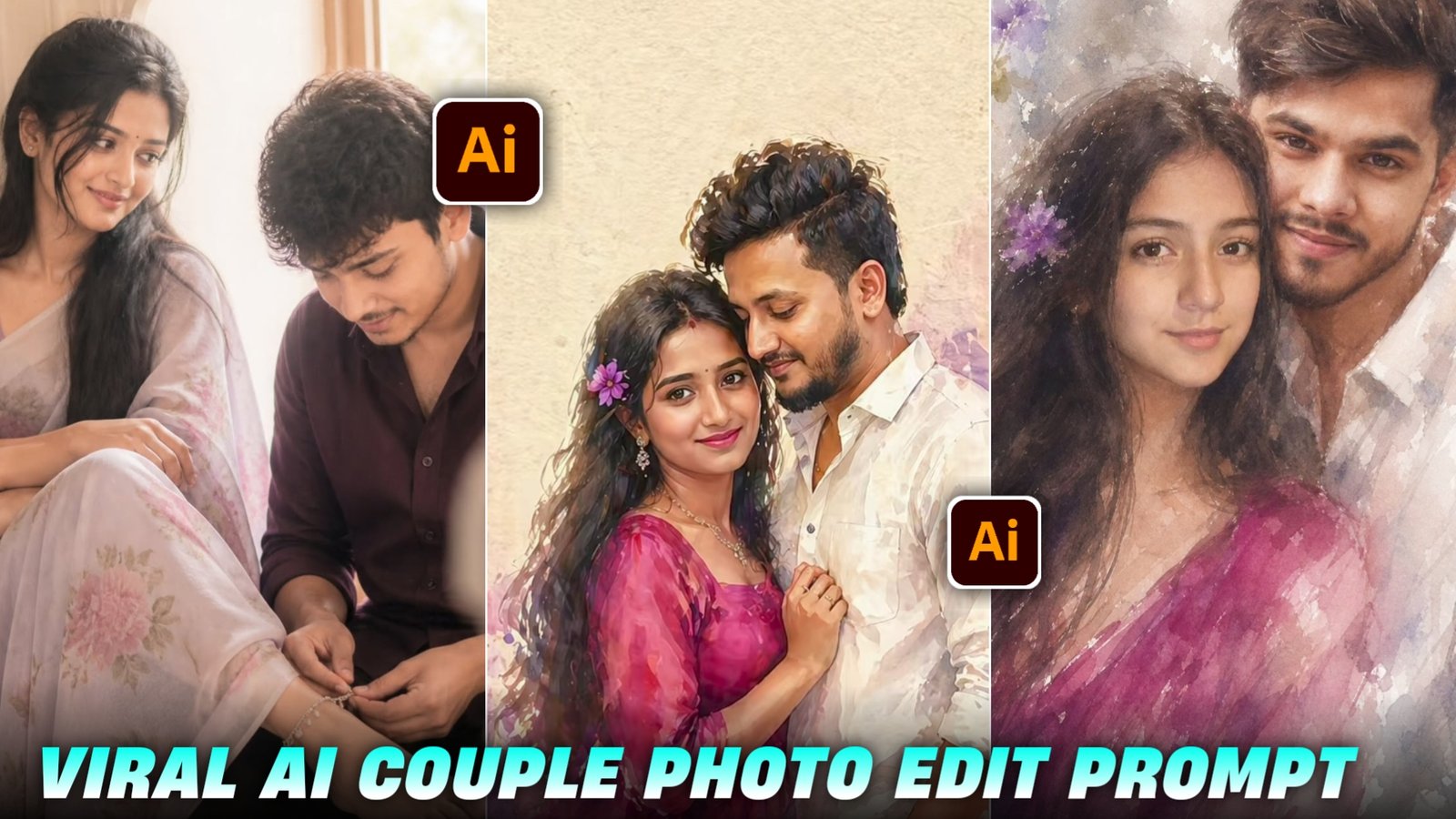
So friends, in today’s post I will tell you about the Instagram trending viral couple AI photo editing prompts and how to generate them.If you are also in a long term relationship with your girlfriend, then you can also create such viral couple photos by using your and your girlfriend’s photo which looks very attractive. So you just have to follow the steps given by me and read the given article carefully, only then you will be able to create such trending couple images. And the best thing is that your face will not change in this and if you send such an image to your girlfriend or crush, she will definitely be impressed by you.
Details Viral Ai Couple Photo Edit :-
So, if you want your video or photo to go viral, now is the perfect time to make it happen, as this topic is currently trending—and a post typically goes viral only when it is part of a trend. This happens because when a post is trending, it appears in everyone’s feed and begins to be suggested to users, significantly increasing its chances of going viral. Simply follow the steps I have outlined, and read and understand this article carefully. However, do not delay in capitalizing on this trend; otherwise, your content will not go viral. Nowadays, everyone wants to take photos with their girlfriend; yet, due to long-distance relationships or other reasons, many are unable to do so. For them, taking a photo with their girlfriend often feels like a distant dream. Today, I am going to fulfill that very dream for couples; simply copy the prompt provided below and follow the instructions that follow.
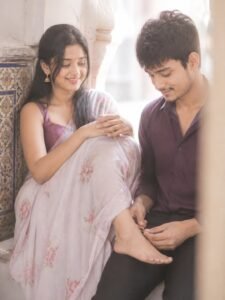
soft low-resolution indoor candid couple portrait with slight blur, grain, and pronounced creamy diffusion glow, high-key bright exposure with lifted whites and soft highlight bloom, warm airy color tone with reduced contrast and gently faded shadows, strong wraparound ambient daylight flooding from the right side combined with soft frontal fill/flash effect to eliminate all harsh shadows, faces fully illuminated with smooth even skin tones and zero dark shadow pockets, subtle halation around bright areas creating a dreamy washed light effect without losing subject visibility, medium shot in 9:16 vertical aspect ratio, framed slightly off-center with a soft right-edge foreground obstruction blur, focal length resembling a compact camera or phone (around 35–50mm equivalent), shallow-to-moderate depth of field with overall softness and glowing haze, scene set in a traditional architectural window alcove with curved arch above and tiled border detail on the left wall, both subjects seated on a built-in ledge facing each other at an angle, female subject on the left sitting sideways with her back lightly against the wall, long straight dark hair falling over her shoulder, wearing a light pastel saree with soft floral patterns and a darker blouse (lavender/purple tone), small traditional earrings, relaxed posture with one leg bent and extended toward the male, her foot resting gently on the male subject’s lap, arms loosely folded over her knee, head slightly tilted toward him, face glowing with soft diffused highlights and no shadow contrast, smiling warmly with soft eyes looking at the male subject, male subject on the right sitting slightly lower or forward on the ledge, body angled toward her, wearing a dark maroon/purple shirt, short hair, slight stubble, head tilted downward with a gentle, shy smile while looking at the flower garland in his hands, his face also evenly lit with bright soft illumination and no deep shadows, holding and arranging a white jasmine flower garland draped across his hands and partially over her foot, interaction feels intimate and candid, both subjects relaxed and naturally engaged, composition emphasizes diagonal connection between her gaze and his hands, background softly out of focus but still readable, overall image intentionally slightly overexposed with soft glow bloom, mild haze, and no added sharpness, preserve imperfections including slight motion softness and lens diffusion, use the faces from the two uploaded reference images (one for female, one for male), match their identities and skin tones, seamlessly blend onto the bodies, and precisely adjust facial expressions, eye direction, and head positioning to match the described poses while keeping everything else identical to the scene
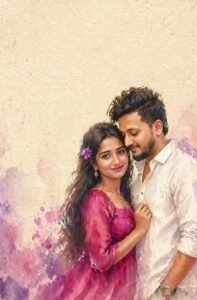
A romantic impressionist watercolor painting of a young couple standing close together in an intimate pose. The girl has long dark flowing hair with a small purple flower tucked near her ear, wearing a bright magenta dress that softly blends into the watercolor texture. The boy is dressed in a simple white shirt. The painting style is loose, blurry, and emotional, with soft brush strokes, smudged edges, and a dreamy unfinished look. The watercolor effect should feel expressive and fluid, with gentle color bleeding and natural paper texture visible. Background is minimal -plain textured beige paper like vintage parchment, with large empty negative space above the couple. The couple is positioned at the bottom-right corner of the frame, leaving wide space for text. Soft pastel watercolor splashes in purple and pink appear subtly around the edges.
How To Create Image :-
So friends, now let me tell you how you can create this kind of photo of Asthetic & Music absolutely free with the steps given below.
First of all, you need to download the Chat GPT app.
Now you have to open the chat Gpt app
As soon as you open it, you have to sign up by clicking on the option of Continue with Google
Now you have to come to my website and copy the prompt
Then in the chat Gpt app you have to select your photo and paste it from the photo you have copied and then send it
Now your image will be created and ready in 2 or 3 minutes, you just have to simply save it
So guys, I know that there are many people among you whose faces change,For this, I will tell you a quick solution by which your face will not change now and I know that there are many people who do not make such images because their face changes So whenever you add your photo in Gemini, you will be adding a selfie photo because AI selfie photo is detected by the detector And this is the only solution, so now whenever you go to create such a photo, do not add the full photo, use only the selfie photo
Conclusion:-
So friends, I have told you everything about how you will get the prompt,how the image will be created, the whole process. If you have read the articles correctly and attentively, you will also be able to create such images. And if you quickly upload the article without reading it, you will definitely face some problem in the process of creating your image, but you have read the article properly and followed the steps given.Even then if you are not able to make such an image then don’t worry you have to go to my Instagram or YouTube, Instagram is Vmeditor01 and YouTube ID is VM Editor you have to go to any of the two. And you have to watch Ai trending asthetic music collage Photo Editing reel or video and follow the ID and subscribe to the channel.So you too should go viral by creating such images