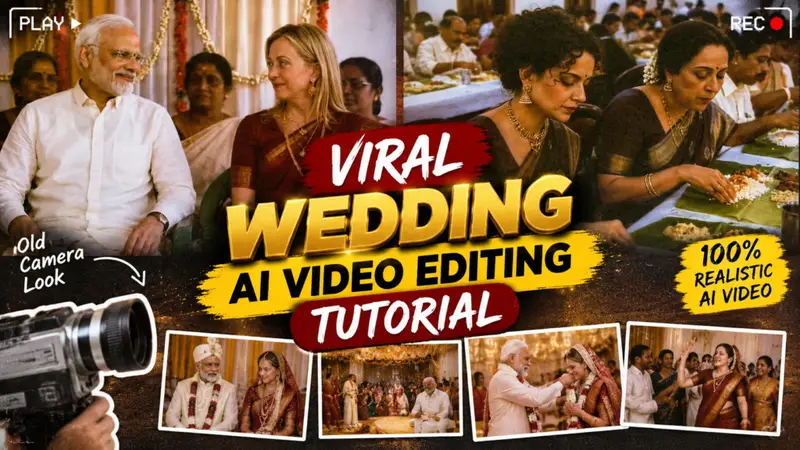
If you are active on social media these days, you have likely noticed that wedding-style videos created with AI are going viral rapidly. People are creating and uploading content featuring popular celebrities such as AI-generated videos of Yogi Mode and Melody, or clips pairing actors and actresses incorporating various characters. These videos look fantastic; they effectively condense an entire wedding ceremony into a single reel, which is why they are resonating so strongly with audiences. They look incredibly realistic, often mimicking the aesthetic of old-school weddings complete with vintage camera styles and angles which people really appreciate. These videos are garnering millions of views and have become a major trend. If you want to create such viral videos yourself, this article will guide you through the entire process—from generating the initial images to producing the final video. So, please read this article carefully.
Details Of Viral Wedding Ai Video
So friends, let’s talk about the details of these viral AI-generated wedding reels. You know how weddings used to take place in the past specifically, the look and feel associated with the camera quality of that era. Today, reels capturing that vintage wedding style are going viral; they condense an entire wedding ceremony into a single reel, creating a visually appealing experience all made possible through AI. Whether you want to recreate your parents’ wedding or even a celebrity’s wedding, you can easily produce these videos. You can feature anyone even a celebrity in this style. These videos are incredibly popular right now; the reason they go viral is that they showcase the entire wedding journey in a unique way, which audiences really love. So, if you want to create videos like this, you’ve come to the right place. In this video, I’m going to show you exactly how to create them.
What are the things you will need to make such a video?
So friends, to make such a video, first of all you will just need a photo here, you just need a photo. Because whatever photo you want to make, like any celebrity, like Mann for you people want to make Modi ji, Modi ji has become a character, after that there is another girl character who became melody. And if you have to show it and you can also show someone working or dancing, or someone who wants to be shown somewhere. Like you showed it to Yogi and showed it, showed it to Aamir sahib. And whoever is the leader, shown them while working. So such videos are very viral. So you can make such a video by taking such a character. All you need is their image, using which you will be able to make such a video. I am going to tell you the whole process in the article.
Replace the people with [Character 1], [Character 2], [Character 3] (attach face references if
needed), while preserving their identity, outfit and proportions.
Keep the same framing, camera angle, background, lighting, object placement and
wedding hall.
Style: Authentic early-2000s Kerala wedding home video captured on a consumer MiniDV/VHS
camcorder. Use a 4:3 aspect ratio, soft focus, slight blur, cool bluish color cast, analog
compression, VHS texture, low dynamic range and imperfect autofocus.
Do not sharpen, upscale, denoise, beautify or make it cinematic. The replaced characters must
match the same low-quality camcorder look as the rest of the frame
How To Create Image
To make such a wedding video, first of all you have to create the image for each scene and we tell you the process of creating the image.
- So first of all you have to copy the prompt above.
- Once the prompt is copied, you need to click on Create Image.
- Now you have to select your image which you want to make into such a wedding image.
- In this way, you have to make every scene of the day for which you have to make it, right through this prompt.
- And we will send it, your image was generated in this way, save it.
Shot 1 — 0:00–0:03.6
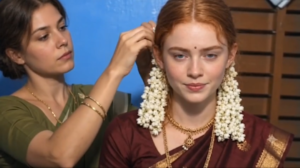
Scene: Close-up of the bride while the older woman adjusts her hair/flowers.
Prompt:
Animate this still image into a realistic cinematic wedding scene. Keep the exact same composition, characters, faces, clothing, jewelry, hairstyle, flower garlands, background, lighting and camera framing. The bride remains mostly still and looks directly toward the camera with a calm, serious expression. The woman behind her gently adjusts the bride’s hair and flower decoration with small natural hand movements. Add subtle blinking, tiny facial movements and natural breathing. Very slight handheld camera movement, almost imperceptible. Preserve the original image quality and realistic skin texture. No changes to identity, clothing or background. No new objects.
Shot 2 — 0:03.6–0:07.1
Scene: Two men talking inside the wedding venue.
Prompt:
Animate the image naturally while preserving the exact people, faces, clothing, location and composition. The man in the center casually talks and gestures with his hands while speaking to the man in the white shirt. The man in white listens naturally and makes a very subtle head movement. Background guests move slightly and naturally. Add realistic blinking, facial expressions and breathing. Keep the camera almost completely stable with only subtle cinematic handheld movement. Maintain the original lighting, colors, depth of field and image quality. Do not alter faces or clothing.
Shot 3 — 0:07.1–0:11.0
Scene: Two men laughing together in the seating area.
Prompt:
Create realistic natural motion from this still image. Keep both men’s faces, identities, clothing and exact positions unchanged. The two men laugh naturally, with subtle head movements and changing facial expressions. One man lightly moves his arm while laughing. Add realistic blinking and breathing. Background people make very subtle movements without drawing attention. Camera remains stationary with extremely subtle handheld motion. Preserve the original composition, lighting, colors, background and photographic quality. No morphing, no face changes, no new people.
Shot 4 — 0:11.0–0:14.6
Scene: Two men preparing/stirring a large cooking pot.
Prompt:
Animate this wedding kitchen scene realistically. Keep the exact same people, faces, clothing, large cooking vessel, utensils, background and camera composition. The man on the left slowly stirs the large pot with the long wooden utensil using natural arm movement. The man beside him tastes or interacts with the food naturally. Steam and heat from the large pot move subtly. Background people perform small natural movements. Add realistic blinking and breathing. Keep the camera stable with only very subtle cinematic movement. Preserve the original image quality and lighting. Do not change the people’s identities or appearance.
Shot 5 — 0:14.6–0:17.5
Scene: Bride and groom eating traditional food.
Prompt:
Animate this still image into a realistic Indian wedding dining scene. Preserve the exact faces, identities, clothing, jewelry, flower garlands, banana leaves, food and table setup. The man and bride naturally pick up small portions of food with their hands and eat. Add subtle chewing, blinking, breathing and small head movements. Other diners in the background move naturally but remain unobtrusive. Keep the camera fixed and preserve the original framing, lighting and colors. Realistic documentary-style motion, natural human movement, no exaggerated animation, no face distortion.
Shot 6 — 0:17.5–0:20.3
Scene: Two women eating during the wedding meal.
Prompt:
Generate subtle realistic motion while maintaining the exact composition and appearance of the original image. The two women continue eating naturally with their hands, making small movements as they pick up food. Add gentle blinking, breathing and subtle facial expressions. Background guests move naturally at a very low level. Keep their faces, hairstyles, sarees, jewelry, food and environment unchanged. Camera remains completely stable. Preserve realistic skin texture, original lighting, colors and photographic quality. No camera zoom, no scene changes, no identity changes.
Shot 7 — 0:20.3–0:24.4
Scene: Close-up of a man drinking from a glass.
Prompt:
Animate this close-up realistically. Preserve the man’s exact face, hairstyle, clothing, glass, blue background and framing. He slowly raises the glass and takes a natural sip, with subtle movement of his eyes, lips and head. Add realistic blinking and breathing. His hand and glass should move naturally without distortion. Keep the camera completely stable and maintain the same close-up composition. Preserve the original lighting, skin texture, colors and image quality. No facial transformation, no morphing, no additional objects.
Shot 8 — 0:24.4–0:27.3
Scene: Two men sitting and talking.
Prompt:
Create subtle cinematic motion from this image. Keep both men exactly recognizable with unchanged faces, hairstyles and clothing. They casually converse while looking toward someone off-camera. Add small natural head movements, slight facial expressions, blinking and breathing. Their mouths move subtly as if speaking. Background seats remain unchanged with only minimal environmental movement. Keep the camera locked in the same position. Preserve the exact lighting, framing, colors and realistic photographic appearance.
Shot 9 — 0:27.3–0:30.0
Scene: Group standing together for a wedding photograph.
Prompt:
Animate this wedding group portrait with extremely subtle realistic movement. Preserve every person’s exact identity, face, hairstyle, clothing, jewelry, flower garlands and position. The group remains posed for the photograph, with tiny natural movements such as blinking, breathing and slight head adjustments. The bride and groom remain centered and mostly still. Add a very subtle natural camera movement while maintaining the exact framing. Keep the background, decorations, lighting and colors unchanged. No people appearing or disappearing, no face changes, no body distortion
Shot 10 — 0:30.0–0:33.3
Scene: Larger group gathered around the bride and groom with the ceremonial lamp.
Prompt:
Animate this wedding group portrait realistically while keeping the exact composition. All people remain in their original positions with unchanged faces, identities, hairstyles and clothing. Add subtle blinking, breathing and small natural head movements. The bride and groom remain mostly still in the foreground. People in the back make very slight natural movements. The ceremonial brass lamp remains fixed in place. Add only a subtle cinematic camera movement. Preserve the exact lighting, colors, background decorations and photographic quality. No new people, no face morphing, no changes to clothing.
Shot 11 — 0:33.3–0:37.75
Scene: Final wedding group portrait with ceremonial lamp in foreground.
Prompt:
Create a realistic cinematic animation from this wedding photograph. Keep every person exactly where they are and preserve their identities, faces, clothing, jewelry, flower garlands and expressions. The group remains posed naturally while making very subtle movements: blinking, breathing and tiny head adjustments. The bride and groom remain the visual focus. The brass ceremonial lamp in the foreground stays completely stationary. Background people make minimal natural movements. Camera should remain almost completely locked off with only extremely subtle cinematic stabilization movement. Preserve the original composition, lighting, colors, depth of field and image quality. No camera rotation, no zoom, no scene transformation, no new objects, no face changes.
How to Create This AI Wedding Video
To generate a wedding video like this, you first need to create images—specifically, an image for each scene. Once the images are ready, you will generate a video for each scene based on the prompt I have provided here, using Flow AI. Let me explain below how to do this.
- First, click on the Generate Video button above. After that, sign up using your Google account.
- Next, copy the prompt provided on the website.
- Then you have to upload your and the girl’s photo in flow ai
- Now you have to paste the prompt and keep the video size as 16.9
- As soon as you send it, the video will be ready, save it.
Viral AI Wedding Video Editing
So, you would have generated the various clips by combining photos and videos. Creating a video like this requires about eight to ten clips. Once you have generated these clips, you will need to edit them. To start editing, first add a currently trending song. Then, take all the clips you have those eight to ten clips and import them into an editing app like CapCut, VN, or InShot to stitch them together, scene by scene and part by part. After arranging them accordingly, set the aspect ratio to 16:9 and export the video; your video is now ready. Finally, export the file, and it is all set for you to upload to Instagram or any other social media platform.
Conclusion
So friends, in this article, I have explained the entire step-by-step process for creating viral AI “breeding” videos—from generating the prompts and images to producing the final video. By following these steps, you can create such videos completely for free. I hope you have understood everything.If you understand then you guys should also make such viral videos and post them on your social media platforms, your video will also go viral, see you in some new article.