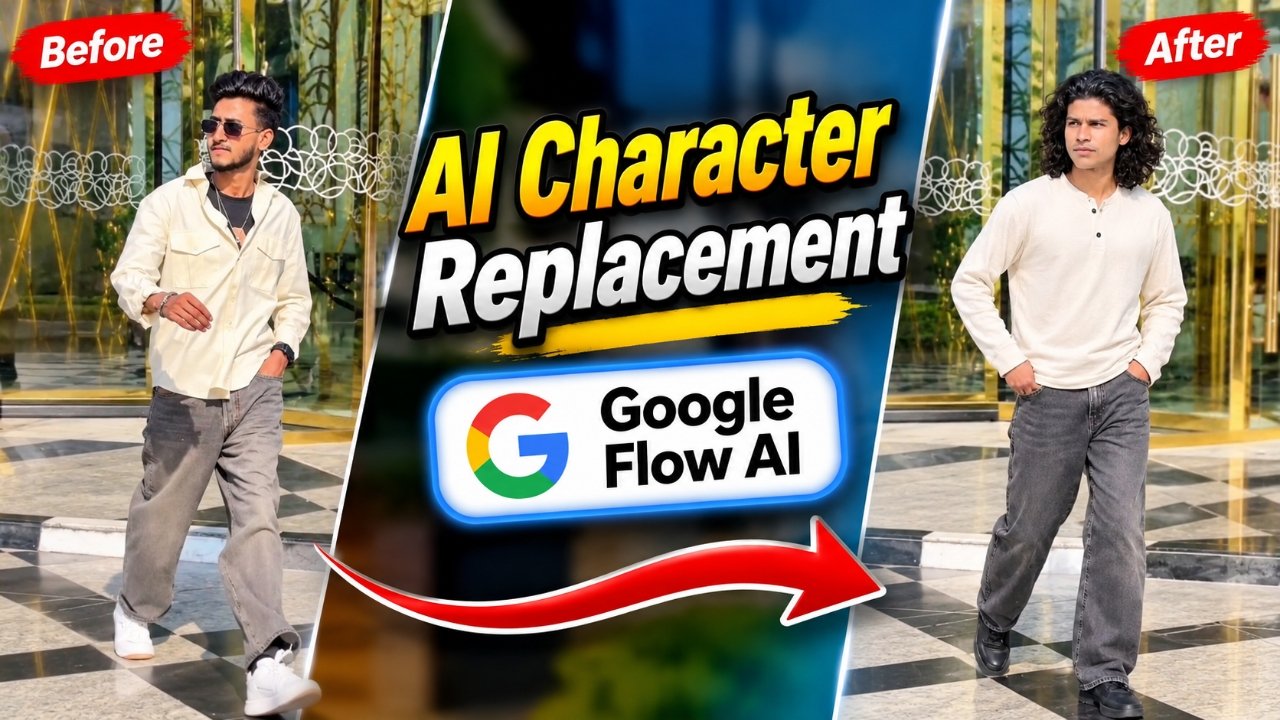
Create amazing AI Character Replacement videos using ChatGPT and Google Flow AI. With this trending AI video editing technique, you can replace the original character in almost any suitable reference video with your own character. You can use your personal photo to create a character sheet and then use it in Google Flow AI to generate a new video. The best part is that you don’t need to record a new video or learn complicated editing techniques. Just follow the simple process, use the reference video and special prompt available on our website, and create your own AI character replacement video.
Details of AI Character Replacement in Any Video Editing
AI Character Replacement is a creative video editing technique that allows you to replace the character in an existing video with a character created from your own photo. You can choose different types of reference videos and generate a similar scene featuring your own character. First, ChatGPT helps you create a character sheet from your uploaded photo. This character sheet works as a visual reference for maintaining the character’s appearance in the generated video. After that, Google Flow AI uses your character sheet, reference video, and prompt to create a new AI-generated video. This technique is useful for creating cinematic scenes, trending reels, action-style videos, and many other creative video concepts.
What Do You Need to Create an AI Character Replacement Video?
To create this video, you need a few simple things. First, you need ChatGPT to generate a character sheet using your personal photo. You will also need Google Flow AI to create the final video. Apart from these tools, you need a suitable reference video and a special video generation prompt, both of which are available on our website. The reference video will provide the scene and movement, while your character sheet will help Google Flow AI understand the character you want to use. Make sure your photo clearly shows your character so that the generated result can follow the visual reference more accurately.
How to Create AI Character Replacement Video Using ChatGPT and Google Flow AI
First, open ChatGPT and type /character sheet in the chat box. Now upload your photo and send the request to generate a character sheet based on your appearance. Once the character sheet is ready, download it to your device. After that, open Google and search for VM Editor, then visit our website and choose the AI Character Replacement article. Copy the reference video and the special video prompt provided there. Now open the video creation option, go to Google Flow AI, and click on New Project. Upload your downloaded character sheet, add the reference video, and paste the video prompt into the prompt box. Apply the settings shown in our tutorial and press the Send button to start generating your video. Google Flow AI will process the references and create a new video with your selected character. Once it is ready, preview and download your final video.

Download Refrence Video
What Is a Character Sheet and Why Is It Important for AI Video Editing ?
A character sheet is a visual reference that shows the appearance and different details of a character. It can help an AI tool understand the character’s face, hairstyle, clothing, and overall look. When you create a character sheet in ChatGPT using your own photo, it gives you a reference image that you can use in your AI video creation process. This is especially useful for character replacement because you want the new character to look consistent throughout the generated scene. A clear character sheet can help guide the AI, although the final result may vary depending on the quality of the photo, prompt, and video generation settings.
What Is Google Flow AI and How Does It Help in Character Replacement?
Google Flow AI is an AI-powered video creation tool that helps users generate cinematic videos using visual references and text prompts. It can use your uploaded images and reference material to understand the type of scene you want to create. In character replacement editing, your character sheet provides the appearance reference, while the original video helps guide the scene and movement. The written prompt explains how the new character should appear in the generated video. By combining these references with suitable settings, you can create different AI video scenes without manually editing every frame. It is a useful option for creators who want to experiment with new video styles and creative ideas.
Why Is AI Character Replacement Becoming Popular?
AI Character Replacement is becoming popular because it gives content creators a new way to recreate trending video concepts with their own characters. Instead of recording a completely new scene, creators can use an existing reference video and generate a different version with an AI-created character. This opens up many creative possibilities, such as making cinematic reels, recreating popular scenes, creating fun videos, and producing unique social media content. It also makes AI video creation more interesting for beginners because they can experiment with their own photos and different reference videos. With tools like ChatGPT and Google Flow AI, creating personalized video content has become more accessible.
Conclusion –
AI Character Replacement is an exciting AI video editing technique that allows you to create personalized videos using your own character. By generating a character sheet in ChatGPT and combining it with a reference video and prompt in Google Flow AI, you can create a completely new version of a suitable video. You only need to follow the tutorial, download your character sheet, copy the reference video and prompt from our website, and apply the recommended settings. Try this creative AI editing technique and make unique videos for Instagram Reels, YouTube Shorts, and other social media platforms.