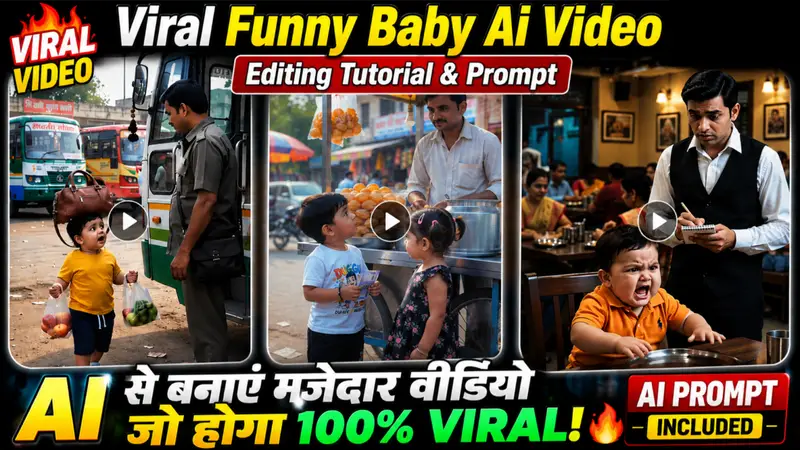
You might have seen videos on Instagram featuring a young boy around 4 or 5 years old delivering funny, witty dialogues that are highly entertaining; these videos often garner millions of views, likes, and shares. People love them because the boy says things that make them laugh. Such videos are currently going viral rapidly across all social media platforms whether it’s Instagram, Facebook, or YouTube. If you want to create similar viral videos for free, you can do so using your own scripts and customize them however you like. In this article, I will share the prompts and the entire process for creating these videos so you can make them yourself. So, just read this article carefully, and let’s get started.
Details Of Viral Funny Baby Boys Girl’s Reels
So friends, we are looking at a type of viral “talking baby” Reel; as you likely know, these videos are created using AI in a way that makes them highly engaging and entertaining. Each scene is full of fun. These videos typically run for about one and a half to two minutes, though you can also create and upload shorter clips. In this article, I will show you exactly how to edit these videos yourself. You can customize the script and dialogue to your liking choosing whatever you want the baby to say and set the scene in any location or background you prefer. Since these are funny Reels featuring a talking baby, they appeal to a wide audience from young children and the elderly to young adults. So, let’s dive into how you can create these videos.
Why Is Viral Baby Funny Video
When it comes to these viral videos featuring funny moments with babies, why do they go viral Well, as you know, young children typically between the ages of three and five don’t usually say much. Seeing a child deliver funny lines or dialogue in this manner really appeals to people; consequently, these videos appear in users’ feeds and get watched in their entirety, which drives them to go viral. People genuinely enjoy this content because they find the funny dialogue delivered by the child highly entertaining.

How To Generate Unlimited Funny Script
So friends, if you want to create funny baby Reels, you will need a supply of unlimited scripts to generate these videos. By generating and editing individual clips like this, you can create a video lasting up to two minutes. Below, we explain the entire step-by-step process for making such videos; please follow it carefully.
- First, you need to install the ChatGPT app on your phone. Then, click on the Generate Unlimited Script button.
- After clicking the button, you’ll see the option to Continue. Click on it. The chat will then open.
- Now, just type “Next” in the chat and send it. As soon as you send “Next,” a new Funny Baby Reel script will be generated.
- Now, copy the script with the dialogue and scene you like best. Then, copy the script for each scene one by one and generate the video.
- Now you must be wondering how to convert it into a video using the prompt, so let us tell you how to make it into a video.
How To Generate Video In Google Flow Ai
So friends, you must have generated the script, after generating the script you have to convert it into a video, so let us tell you how you can convert it into a video.
- First of all you have to click on the generate video button.
- Now you have to click on New Project and paste the prompt there and change the size to 9 * 16 and send the video.
- Now you will see that your video will be generated and available in a few seconds, now you can download it.
- By doing this, you have to generate video clips for every day, whatever scripts are there.
What Is The Chat Gpt App
So, friends, I have explained what ChatGPT actually is. You can use ChatGPT for a wide range of tasks; for instance, you can generate any type of image simply by providing a basic prompt, or even make specific edits to existing photos. You can ask for prompts to recreate specific videos or images, seek ideas for anything, or ask questions to understand or learn about a topic it has an answer for every query you might have. Essentially, ChatGPT is a bot that responds to whatever you ask and offers immense assistance. That is why it is the top choice for content creators.
What Is The Google Flow
Google Flow AI is an AI-powered video generation website from Google that allows you to convert any prompt into a video. You can create videos simply from text, or by uploading a photo combined with a prompt; the tool generates a video that matches your input exactly. You can specify the style such as realistic or cartoon and it will generate a video in that exact style, complete with audio. For instance, if you create a funny video featuring a baby, the result includes audio specifically a realistic baby’s voice making the video look incredibly authentic. Flow AI is capable of many other tasks, but in today’s article, I focused on explaining how to create funny baby videos.
Conclusion
So friends, in today’s article, I have explained the process of editing those highly viral “funny baby eye” videos—the kind currently taking social media by storm and garnering millions of likes and views. I have provided a detailed guide on how you can create these exact types of videos and generate unlimited script ideas, enabling you to produce and upload them to your own social media platforms. I hope the entire process is clear to you now.